OpenAI's
introduce
Logfire supports an extra line of code to detect calls to OpenAI.
import openai
import logfire

client = openai.Client()

logfire.configure()
logfire.instrument_openai(client)  # (1)!

response = client.chat.completions.create(
    model='gpt-4',
    messages=[
        {'role': 'system', 'content': 'You are a helpful assistant.'},
        {'role': 'user', 'content': 'Please write me a limerick about Python logging.'},
    ],
)
print(response.choices[0].message)
-
If you cannot access the client instance, you can pass a class (for example,
logfire.instrument_openai(openai.Client)) or no parameters (i.e.,logfire.instrument_openai()) to detect theopenai。客户端andopenai。AsyncClientclasses.
For more information, see [instrument_openai() API Reference][logfire. Logfire.instrument_openai].
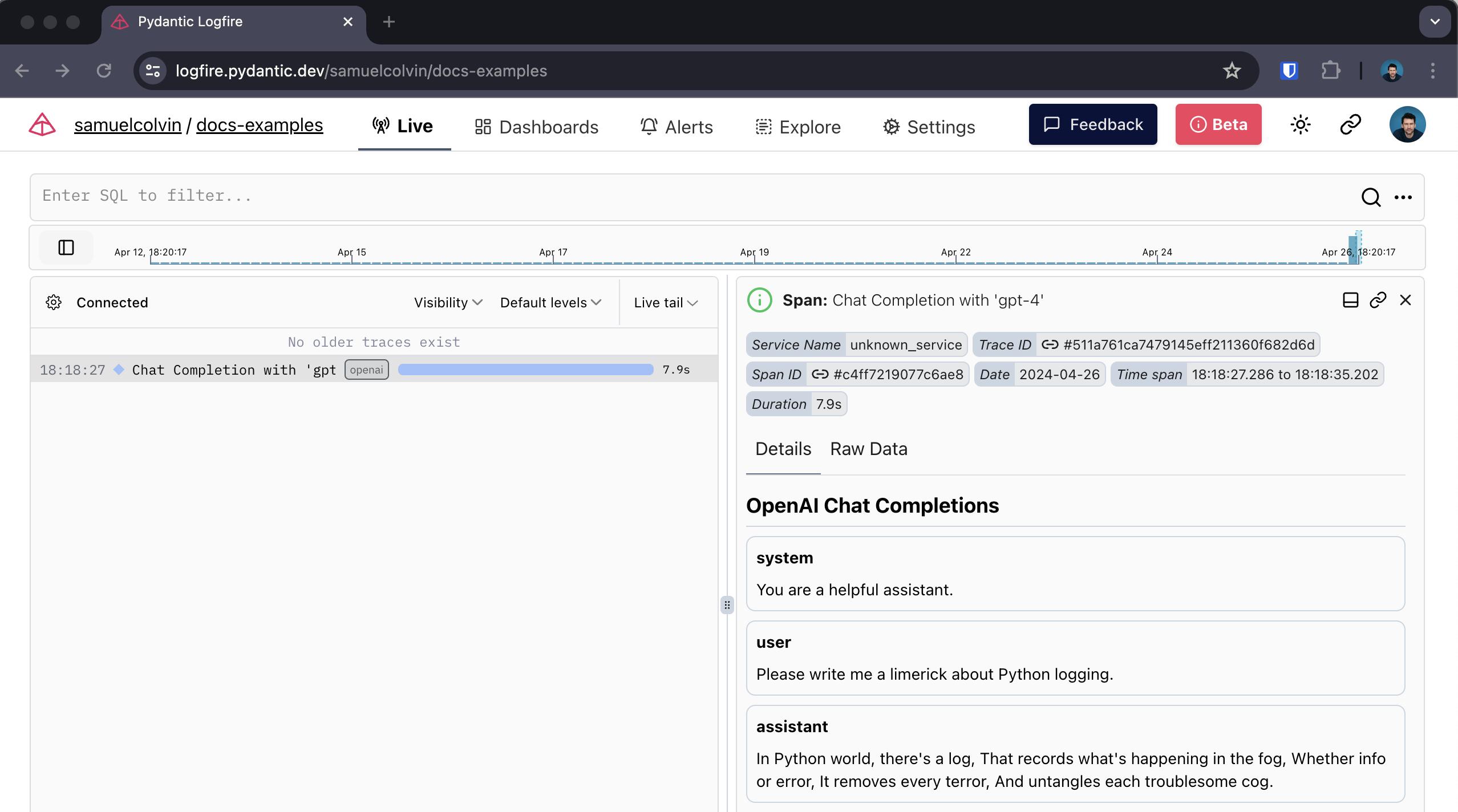
With it, you can get:
-
Span around calls to OpenAI that record duration and catch any exceptions that may occur
-
Human-readable display of conversations with agents
-
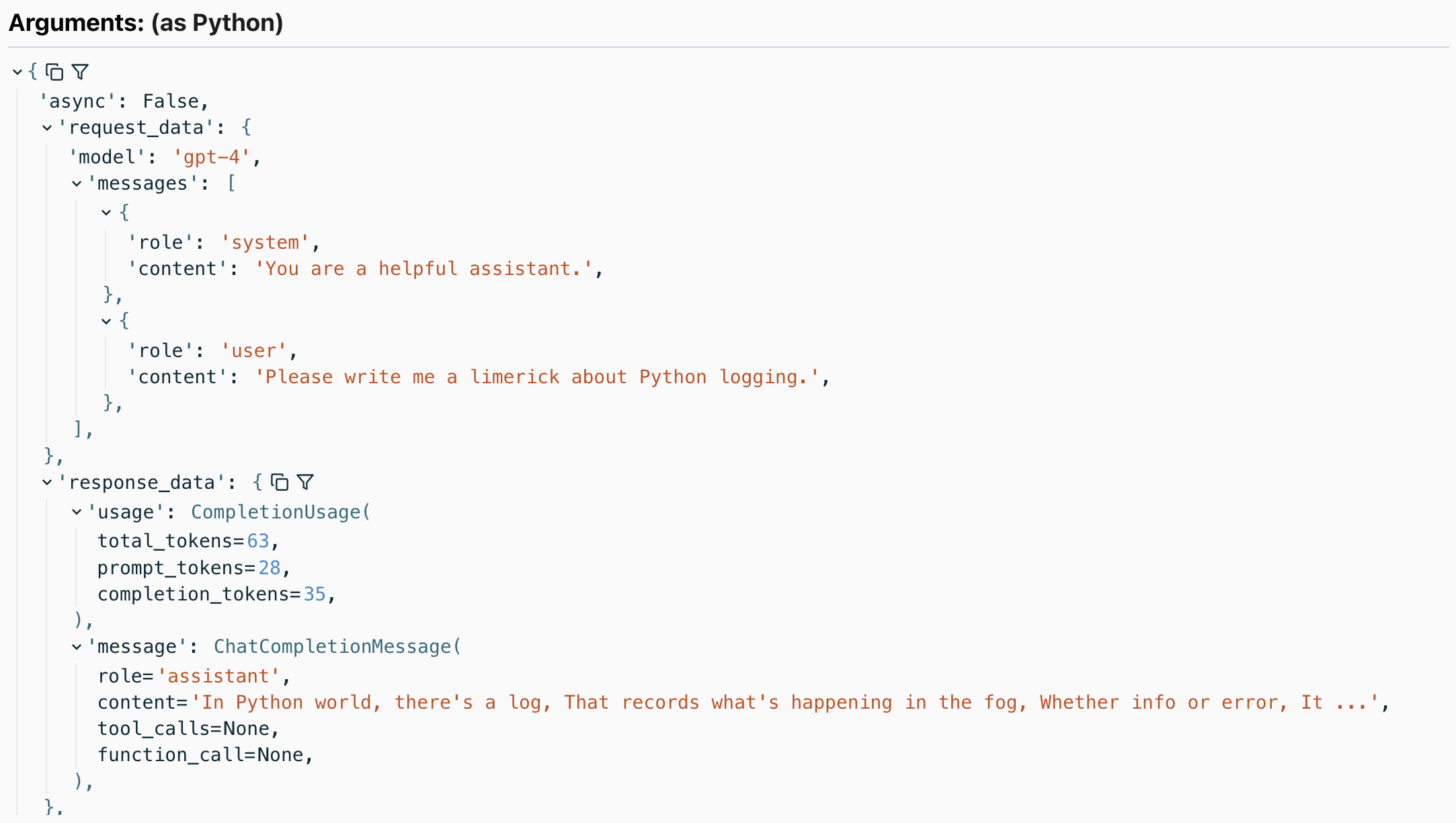
Details of the response, including the number of tokens used
the methods encompassed
Covers the following OpenAI methods:
-
client.chat.completions.create- with and withoutstream=True -
client.completions.create- with and withoutstream=True client.embeddings.createclient.images.generate
All methods are included in openai 中。客户端 and openai。AsyncClient.
For example, here is the detection of image generation calls:
import openai
import logfire

async def main():
    client = openai.AsyncClient()
    logfire.configure()
    logfire.instrument_openai(client)

    response = await client.images.generate(
        prompt='Image of R2D2 running through a desert in the style of cyberpunk.',
        model='dall-e-3',
    )
    url = response.data[0].url
    import webbrowser
    webbrowser.open(url)

if __name__ == '__main__':
    import asyncio
    asyncio.run(main())
To:
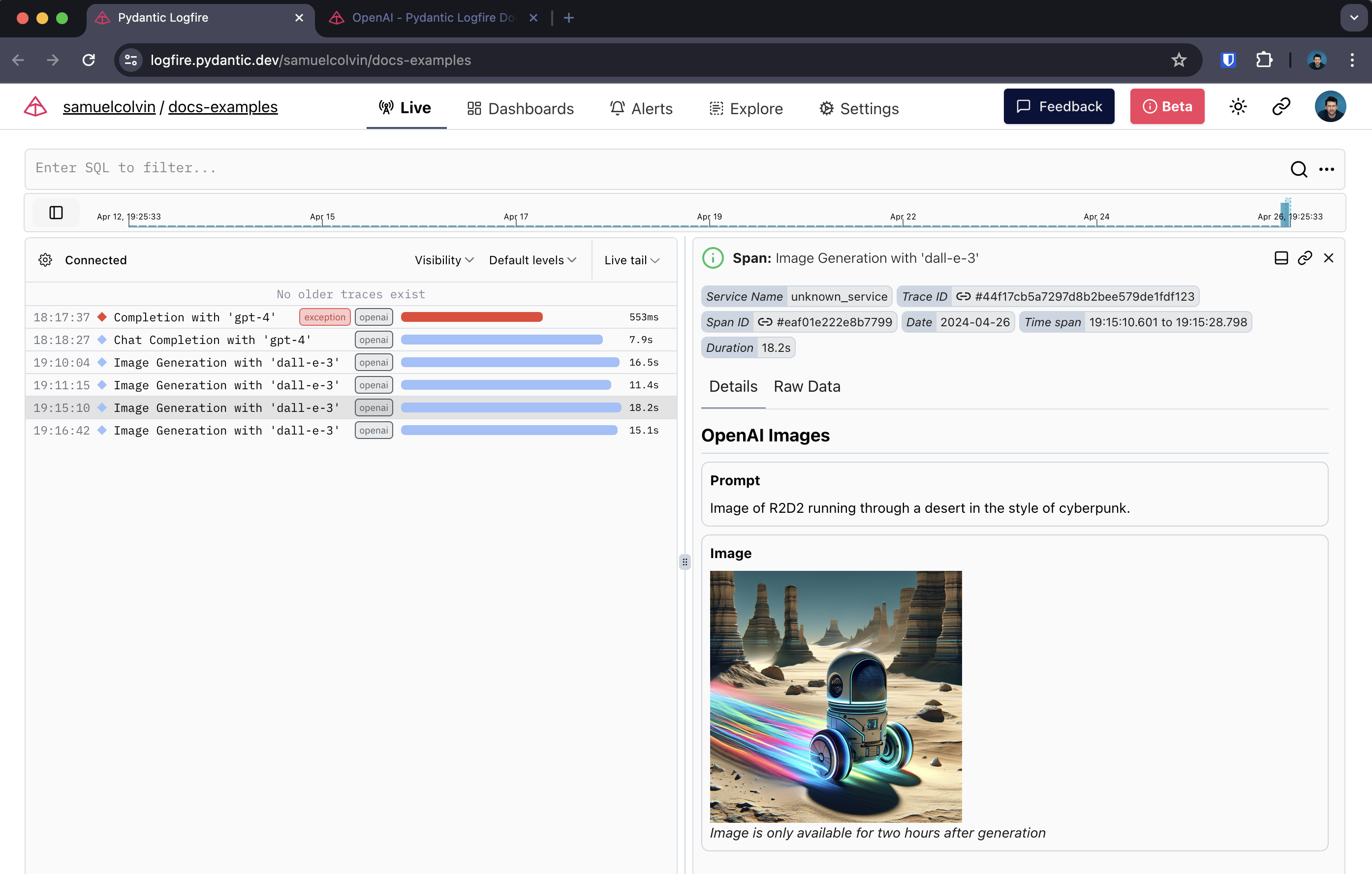
OpenAI image generation span
streaming response
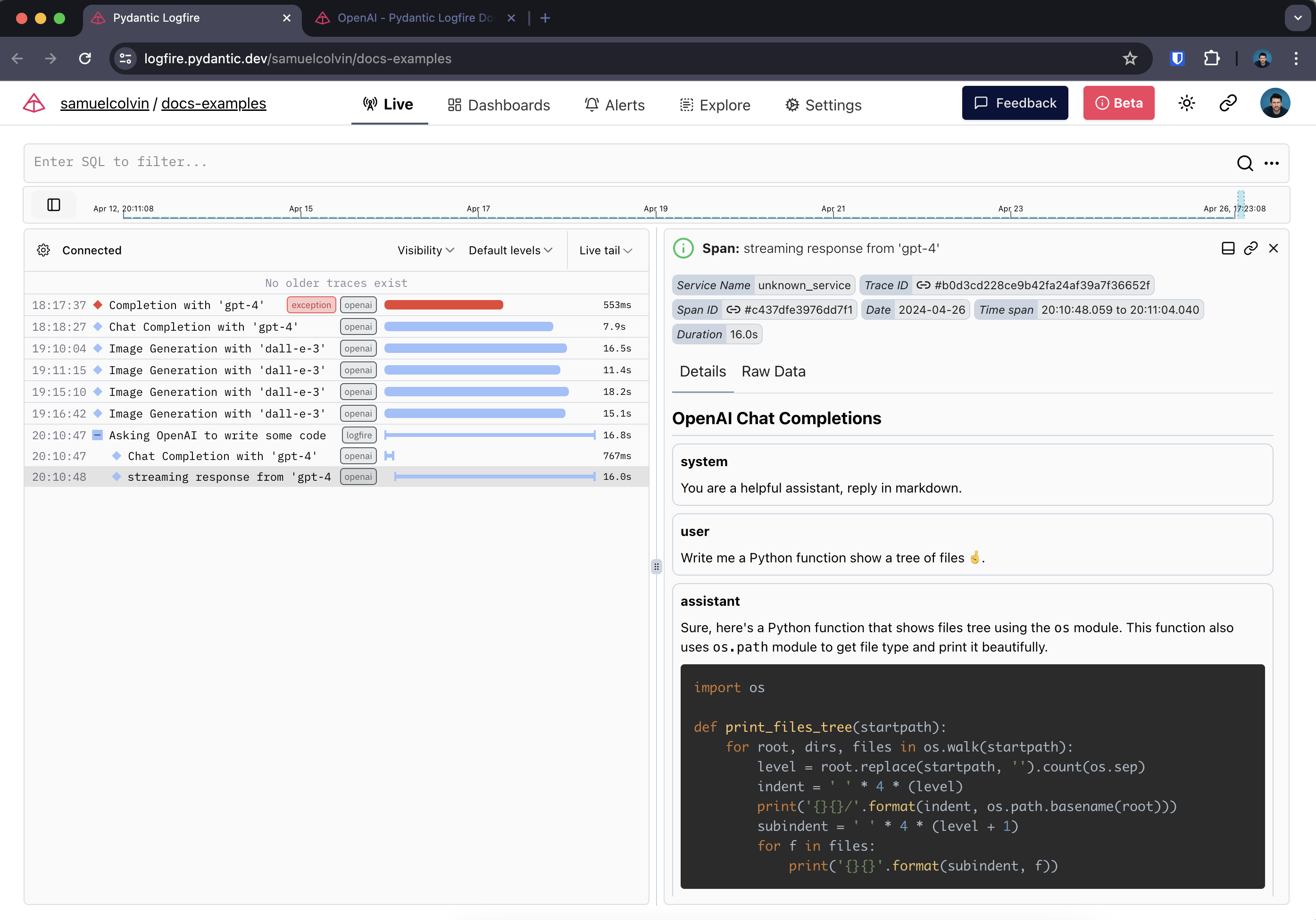
When detecting streaming responses, Logfire creates two spans-one around the initial request and one around the streaming response.
Here we also use Rich's Live sum Markdown Type rendering response in real time in terminal.: Dancer:
import openai
import logfire
from rich.console import Console
from rich.live import Live
from rich.markdown import Markdown

client = openai.AsyncClient()
logfire.configure()
logfire.instrument_openai(client)

async def main():
    console = Console()
    with logfire.span('Asking OpenAI to write some code'):
        response = await client.chat.completions.create(
            model='gpt-4',
            messages=[
                {'role': 'system', 'content': 'Reply in markdown one.'},
                {'role': 'user', 'content': 'Write Python to show a tree of files 🤞.'},
            ],
            stream=True
        )
        content = ''
        with Live('', refresh_per_second=15, console=console) as live:
            async for chunk in response:
                if chunk.choices[0].delta.content is not None:
                    content += chunk.choices[0].delta.content
                    live.update(Markdown(content))

if __name__ == '__main__':
    import asyncio
    asyncio.run(main())
In Logfire it looks like this:
本文总阅读量次