direct database connection
TheLogfireplatform allows you to join data and run SQL queries using PostgreSQL syntax.
By doing this, you can connect existing tools such as Grafana, Metabase, Superset, or any other tool that supports querying PostgreSQL sources.
Generate credentials
To connect, you first need to generate database credentials from the project page at https://logfire.pydantic.dev/<organization>/<project>/settings/database-credentials
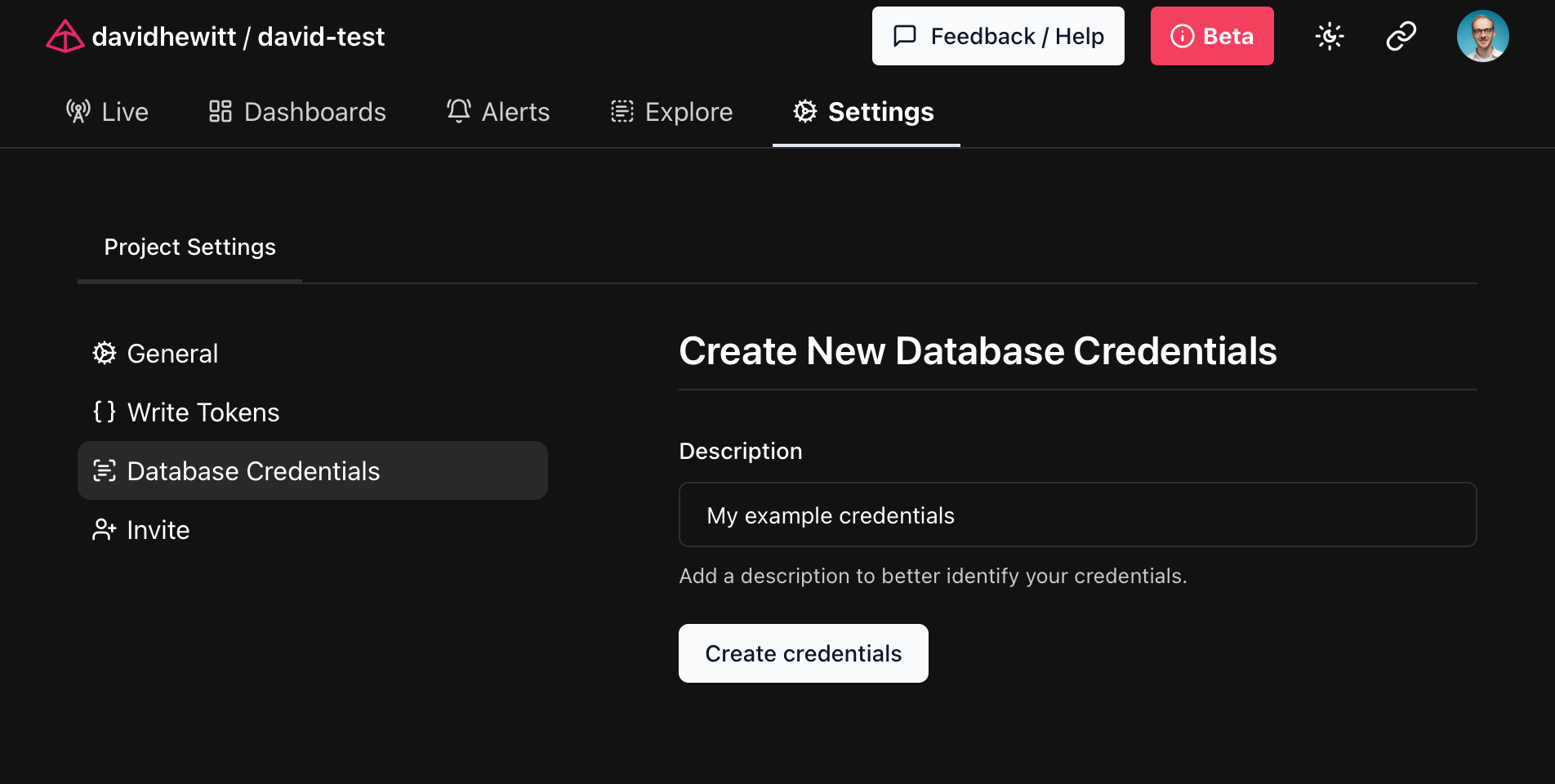
The generated credentials are a PostgreSQL URI that can be used as a connection string for compatible tools. These will only be displayed once by the Logfire platform, so save them in a safe place for future use!
connect to the database
As mentioned earlier, you can use the generated credentials to connect to the database through any tool that supports PostgreSQL connections.
use pgcli
pgcli is a command-line tool for accessing PostgreSQL databases.
Using the credentials generated in the previous step as parameters to pgcli, you can connect directly toLogfire:
$ pgcli postgresql://<user>:<password>@db.logfire.dev:5432/proj_david-test  # REDACTED
Version: 4.0.1
Home: http://pgcli.com
proj_david-test> select start_timestamp, message from records limit 10;
+-------------------------------+----------------------------------------+
| start_timestamp               | message                                |
|-------------------------------+----------------------------------------|
| 2024-04-28 10:50:41.681886+00 | action=view-faq size=549 i=0           |
| 2024-04-28 10:50:41.711747+00 | GET /contact/ http send response.body  |
| 2024-04-28 10:50:41.665576+00 | GET /contact/                          |
| 2024-04-28 10:50:41.711119+00 | GET /contact/ http send response.start |
| 2024-04-28 10:50:41.709458+00 | response 500                           |
| 2024-04-28 10:50:38.505343+00 | action=view-cart size=517 i=0          |
| 2024-04-28 10:50:39.446668+00 | action=view-faq size=637 i=2           |
| 2024-04-28 10:50:38.681198+00 | action=view-terms size=216 i=3         |
| 2024-04-28 10:50:39.416706+00 | action=view-product size=380 i=0       |
| 2024-04-28 10:50:38.394237+00 | sub-sub-sub-action=logout              |
+-------------------------------+----------------------------------------+
SELECT 10
Time: 0.218s
use psycopg
psycopg is a Python library that allows you to connect to PostgreSQL databases.
You can use the credentials generated in the previous step to connect toLogfire:
import os

import psycopg

POSTGRES_URI = os.getenv('POSTGRES_URI')

with psycopg.connect(POSTGRES_URI) as conn:
    cursor = conn.cursor()
    cursor.execute('SELECT start_timestamp, message FROM records LIMIT 10')
    for start_timestamp, message in cursor.fetchall():
        print(f'{start_timestamp}: {message}')
Set the export POSTGRES_URI=... environment variable to the URI generated in the previous step and run the script using python main.py:
2024-04-28 10:50:41.681886+00: action=view-faq size=549 i=0
2024-04-28 10:50:41.711747+00: GET /contact/ http send response.body
2024-04-28 10:50:41.665576+00: GET /contact/
2024-04-28 10:50:41.711119+00: GET /contact/ http send response.start
2024-04-28 10:50:41.709458+00: response 500
2024-04-28 10:50:38.505343+00: action=view-cart size=517 i=0
2024-04-28 10:50:39.446668+00: action=view-faq size=637 i=2
2024-04-28 10:50:38.681198+00: action=view-terms size=216 i=3
2024-04-28 10:50:39.416706+00: action=view-product size=380 i=0
2024-04-28 10:50:38.394237+00: sub-sub-sub-action=logout
With the flexibility you have to access PostgreSQL's features, we can't wait to hear how you can useLogfire!: Fire:
本文总阅读量次