Getting Started
This guide will get you started withLogfire. You will learn how to install Logfire, authenticate to your local environment, and use tracing and spanning to detect code observability.
install
To install the latest version ofLogfire, run:
pip install logfire
rye add logfire
poetry add logfire
conda install -c conda-forge logfire
authentication
Verify your local environment usingLogfireby running the following command:
Logfire authentication
This will open a browser window for you to use in the logfire.pydantic.dev . After successful authentication, the credentials are stored in the ~/.logfire/default.toml is displayed.
basic usage
Used for the first time in a new environmentLogfireWhen a project needs to be set up.LogfireA project is a namespace used to organize data. Send toLogfireAll data must be associated with the project.
To useLogfire, it's simple:
import logfire

logfire.configure()  # (1)!
logfire.info('Hello, {name}!', name='world')  # (2)!
-
configure()should be called once before login to initializeLogfire. -
This will record
Hello world!with信息level.
Attention
Other log levels are also available, including 'trace',' debug','note',' warn', "Wrong" and "fatal."
If you do not have existing credentials for the project, you will be prompted to select one of the projects or create a new one:
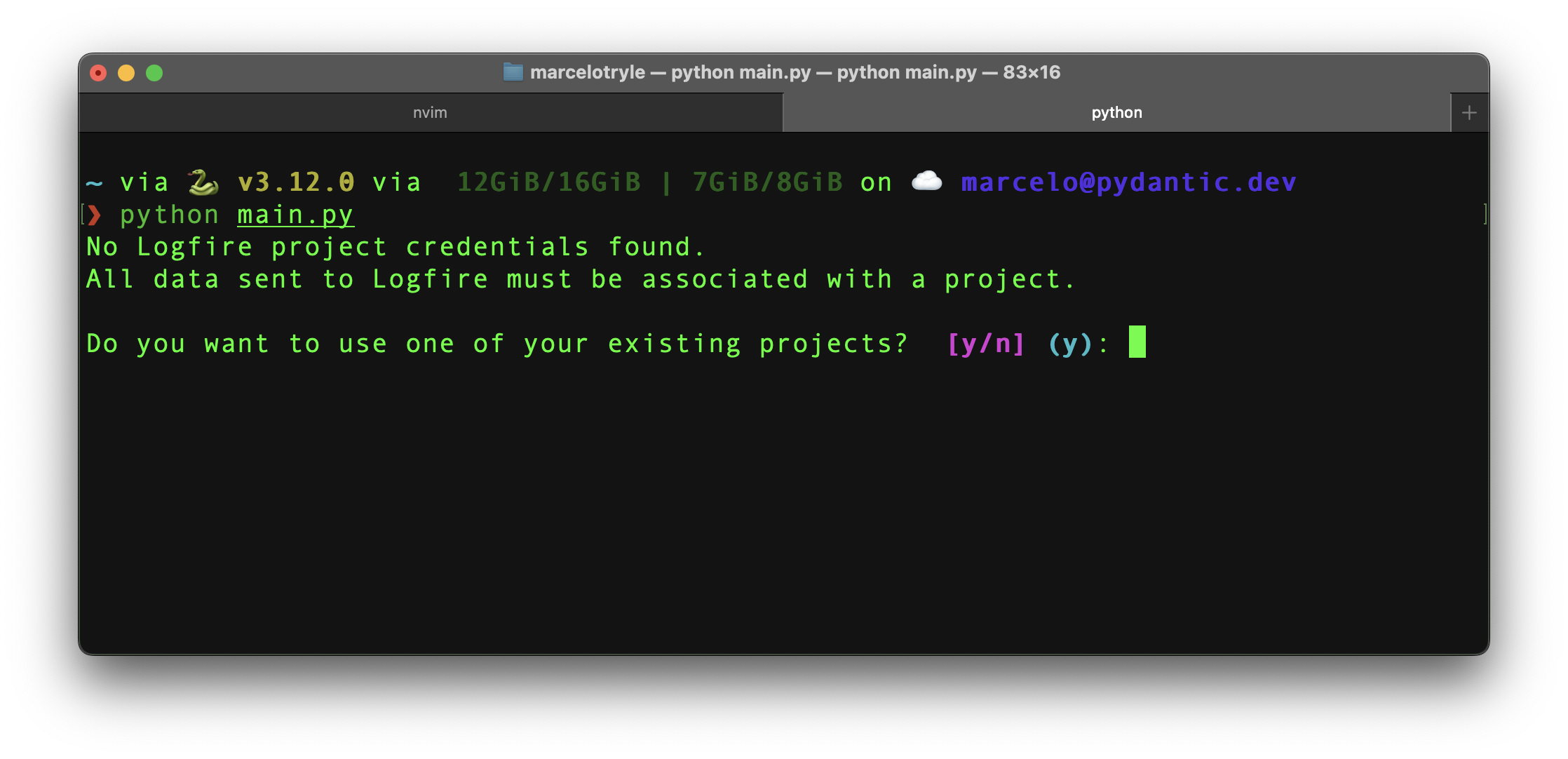
If you don't already have any projects, write “n” and “Enter” to create a new one.
You are then asked to select your organization and provide a name for your new project:
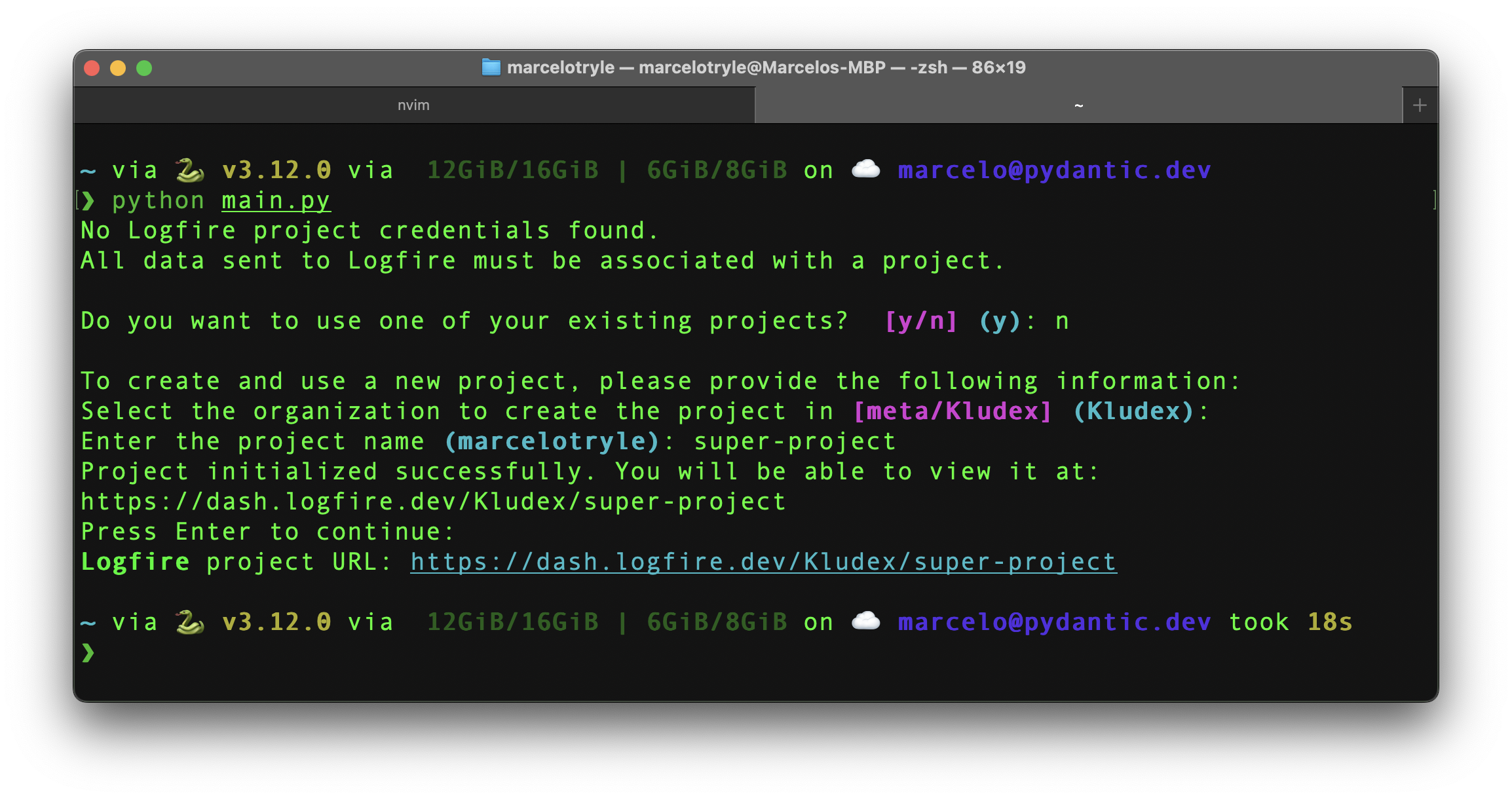
You have created a new project inLogfire!:p arting_face:
Once this one-time setup is complete,Logfirewill use the newly created project credentials for subsequent Python runs from the same directory.
???Success "You can also create projects from the Web UI..." To create a new project in the UI, you can follow these steps:
1. Enter [Logfire Web UI](https://logfire.pydantic.dev).

2. Click the New Project button, fill out the form that appears, and click Create Project.

Do! You have created a new project in**Logfire**!: Sunglasses:
???success "You can also create projects via CLI..." For more information on how to create projects via CLI, see SDK CLI documentation.
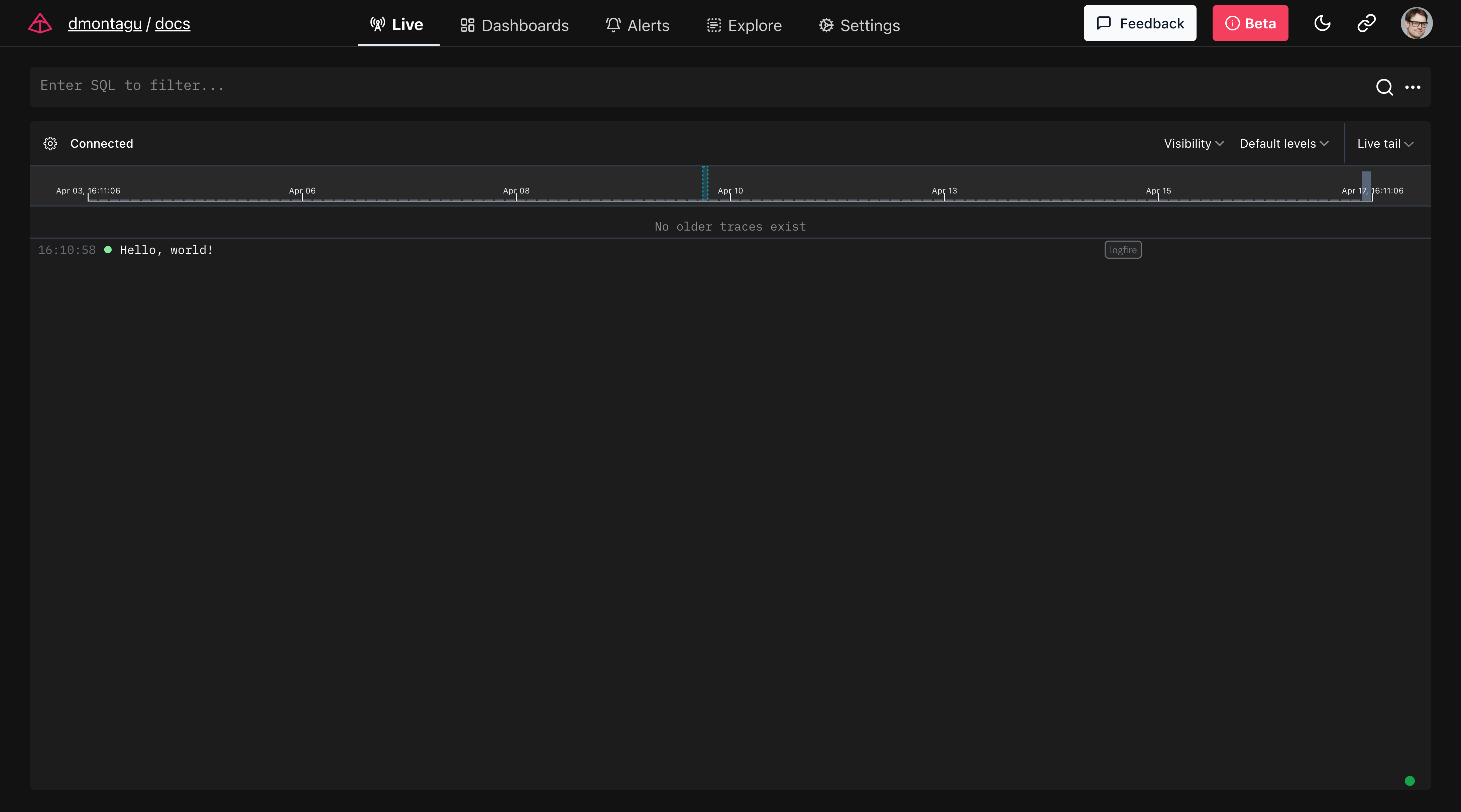
After creating the project, you should see:
Logfire project URL: https://logfire.pydantic.dev/dmontagu/my-project
19:52:12.323 Hello, world!
Logfirewill always start by displaying the project's URL, and (using the default configuration) will also provide a basic display of the logs you send to Logfire in the terminal.
Tracking with Span
Spanning allows you to add context to the log and measure code execution time. Multiple spans combine to form a single trace, providing a complete picture of the journey of operation through the system.
from pathlib import Path
import logfire

cwd = Path.cwd()
total_size = 0

logfire.configure()

with logfire.span('counting size of {cwd=}', cwd=cwd):
    for path in cwd.iterdir():
        if path.is_file():
            with logfire.span('reading {file}', file=path):
                total_size += len(path.read_bytes())

    logfire.info('total size of {cwd} is {size} bytes', cwd=cwd, size=total_size)
In this example:
-
The outer span measures the time it takes to calculate the total file size (
cwd) in the current directory. -
Internal span measures the time it takes to read each individual file.
-
Finally, record the total size.
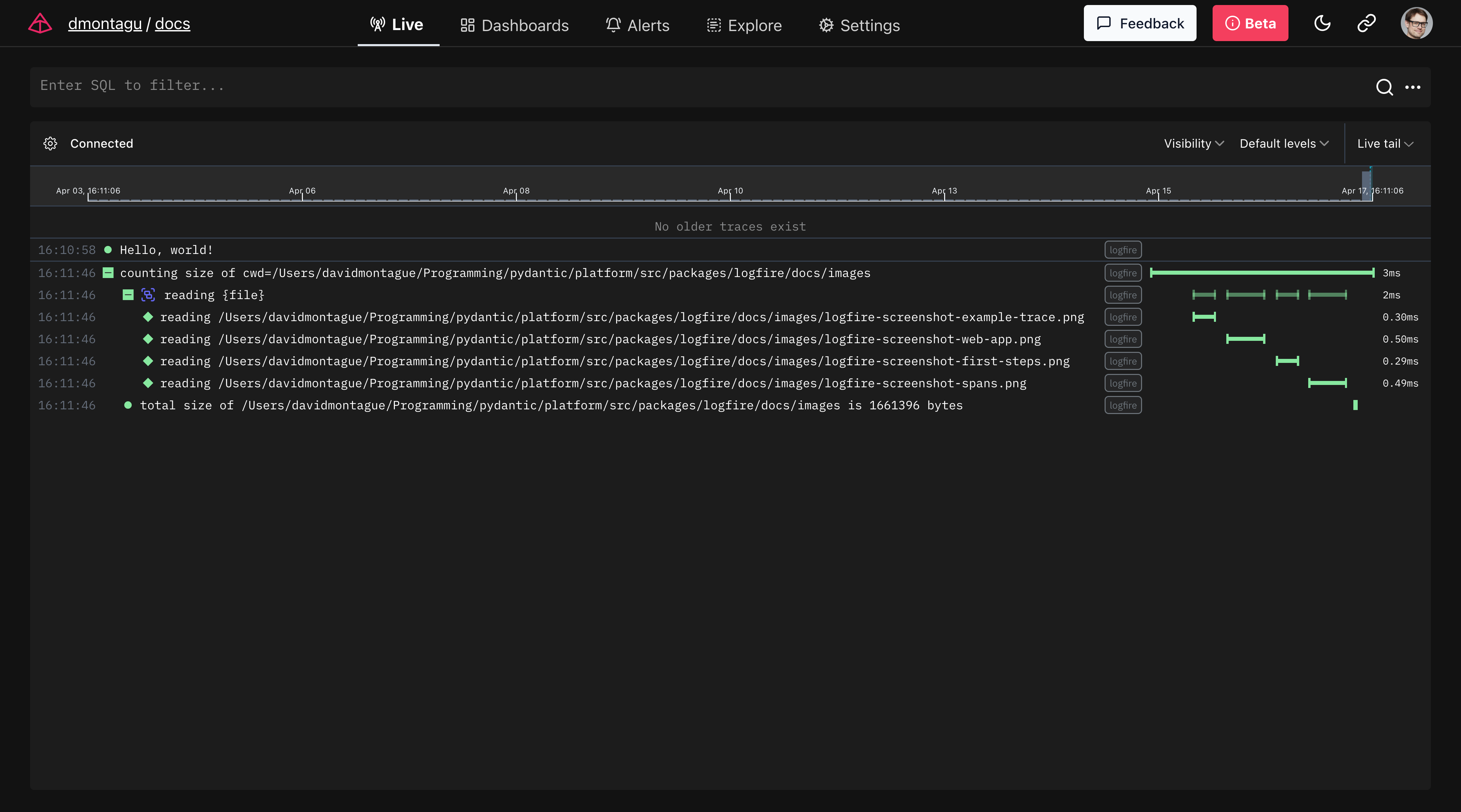
By using traces and spans to inspect code, you can see how long operations are taking, identify bottlenecks, and get a high-level view of the flow of requests in your system-valuable for maintaining the performance and reliability of your application.
本文总阅读量次