Open AIの
ご紹介
Logfireは、追加のコード行を使用してOpen AIへの呼び出しを検出することをサポートしています。
import openai
import logfire

client = openai.Client()

logfire.configure()
logfire.instrument_openai(client)  # (1)!

response = client.chat.completions.create(
    model='gpt-4',
    messages=[
        {'role': 'system', 'content': 'You are a helpful assistant.'},
        {'role': 'user', 'content': 'Please write me a limerick about Python logging.'},
    ],
)
print(response.choices[0].message)
-
クライアントインスタンスにアクセスできない場合は、クラスを渡すことができます
logfire.instrument_openai(openai.Client))、またはパラメータを渡さない(つまりlogfire.instrument_openai())を検出するopenai。客户端そしてopenai。AsyncClientクラス。
詳細については、[instrument_openai() APIリファレンス][logfire. Logfire.device_openai]を参照してください。
それを得ることができます。
-
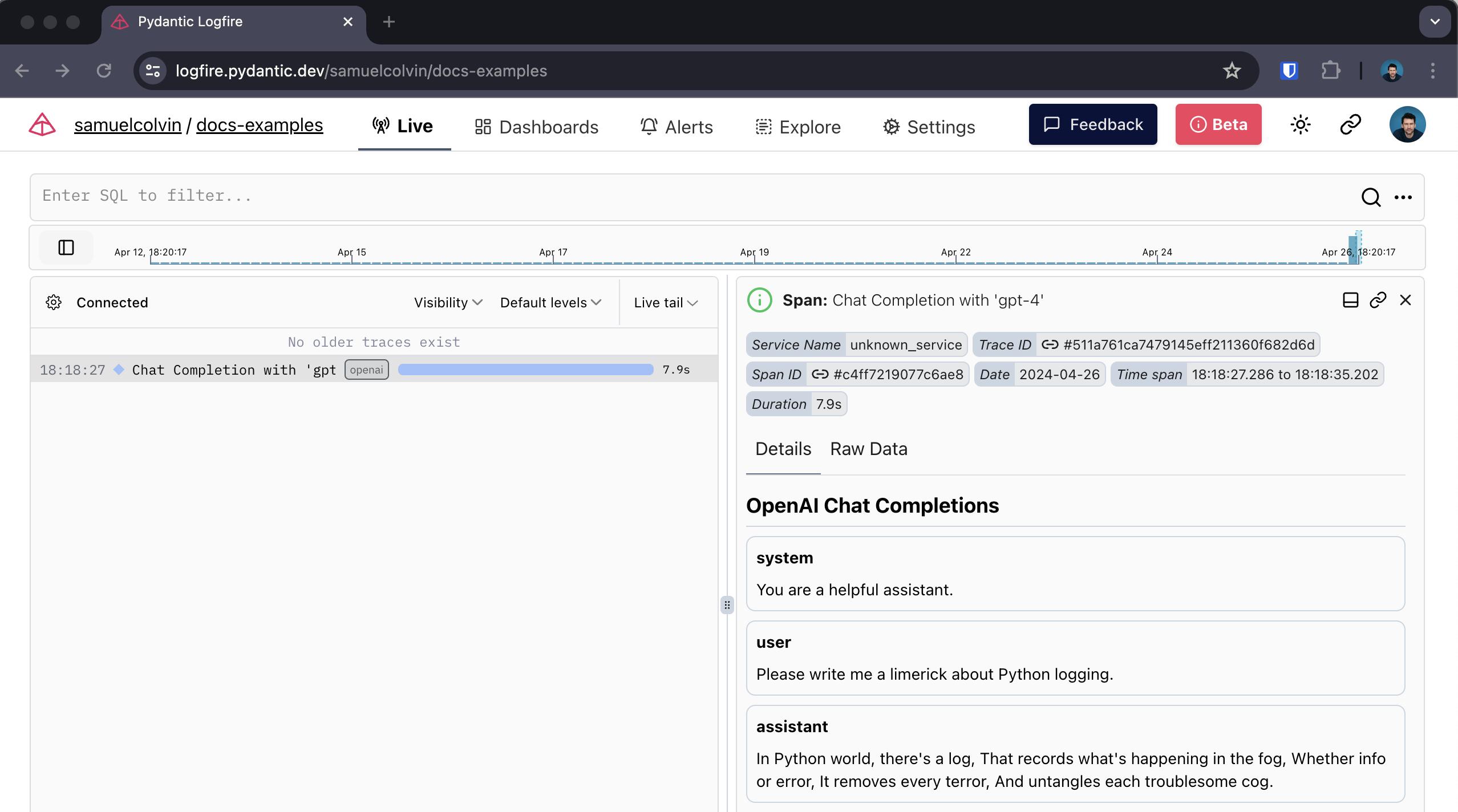
Open AIへの呼び出しのスパンを中心に、呼び出しは期間を記録し、発生する可能性のある例外をキャプチャします
-
座席との会話の人間可読表示
-
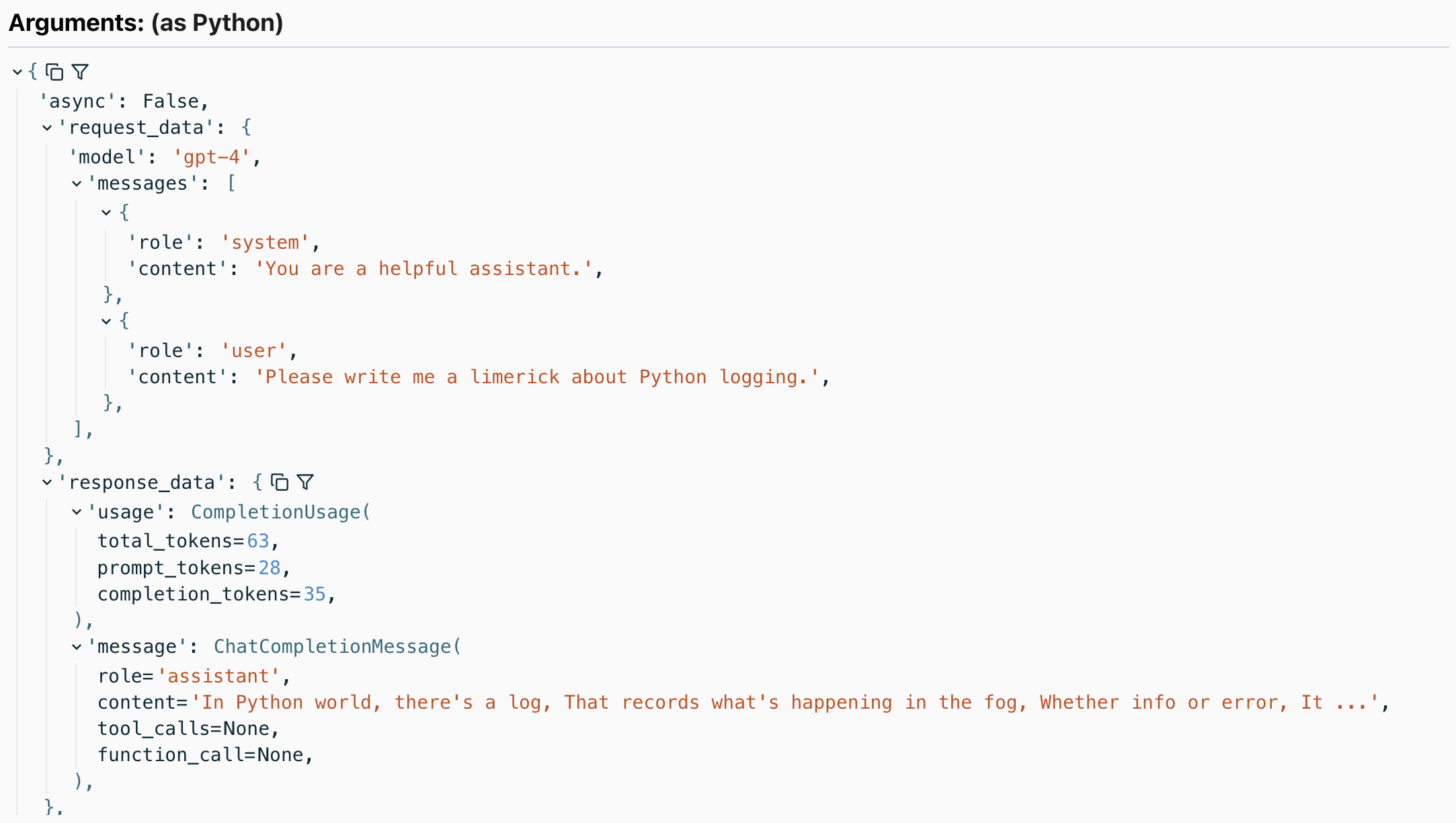
使用されたトークンの数など、応答の詳細
カバーする方法
以下のOpen AIメソッドをカバーします:
-
client.chat.completions.create—ありとなしstream=True -
client.completions.create—ありとなしstream=True client.embeddings.createclient.images.generate
すべてのメソッドは openai 中。客户端 と openai。AsyncClient に含まれています。
たとえば、画像生成コールの検出は次のとおりです。
import openai
import logfire

async def main():
    client = openai.AsyncClient()
    logfire.configure()
    logfire.instrument_openai(client)

    response = await client.images.generate(
        prompt='Image of R2D2 running through a desert in the style of cyberpunk.',
        model='dall-e-3',
    )
    url = response.data[0].url
    import webbrowser
    webbrowser.open(url)

if __name__ == '__main__':
    import asyncio
    asyncio.run(main())
与える:
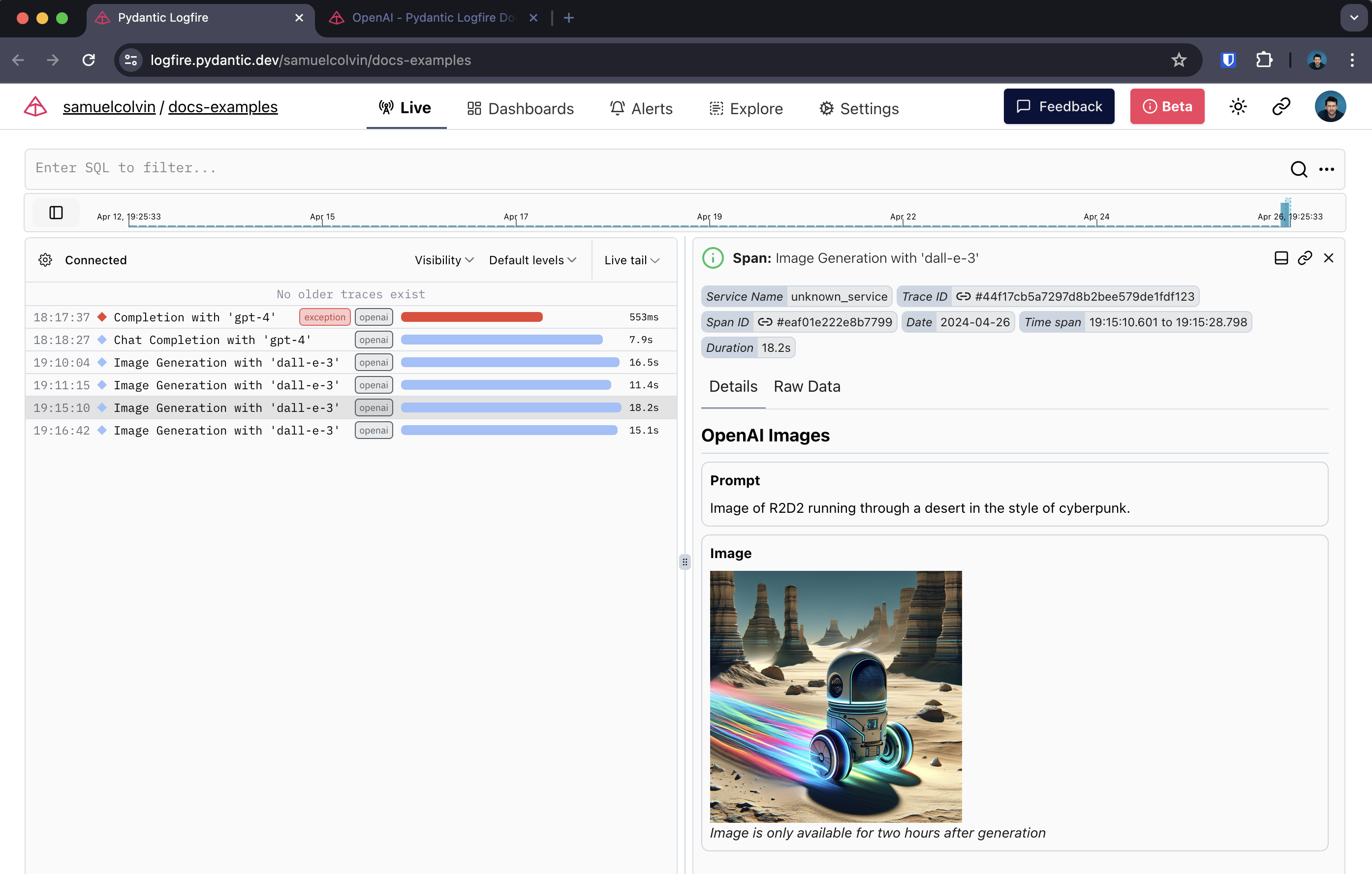
Open AI画像生成スパン
ストリーミング応答
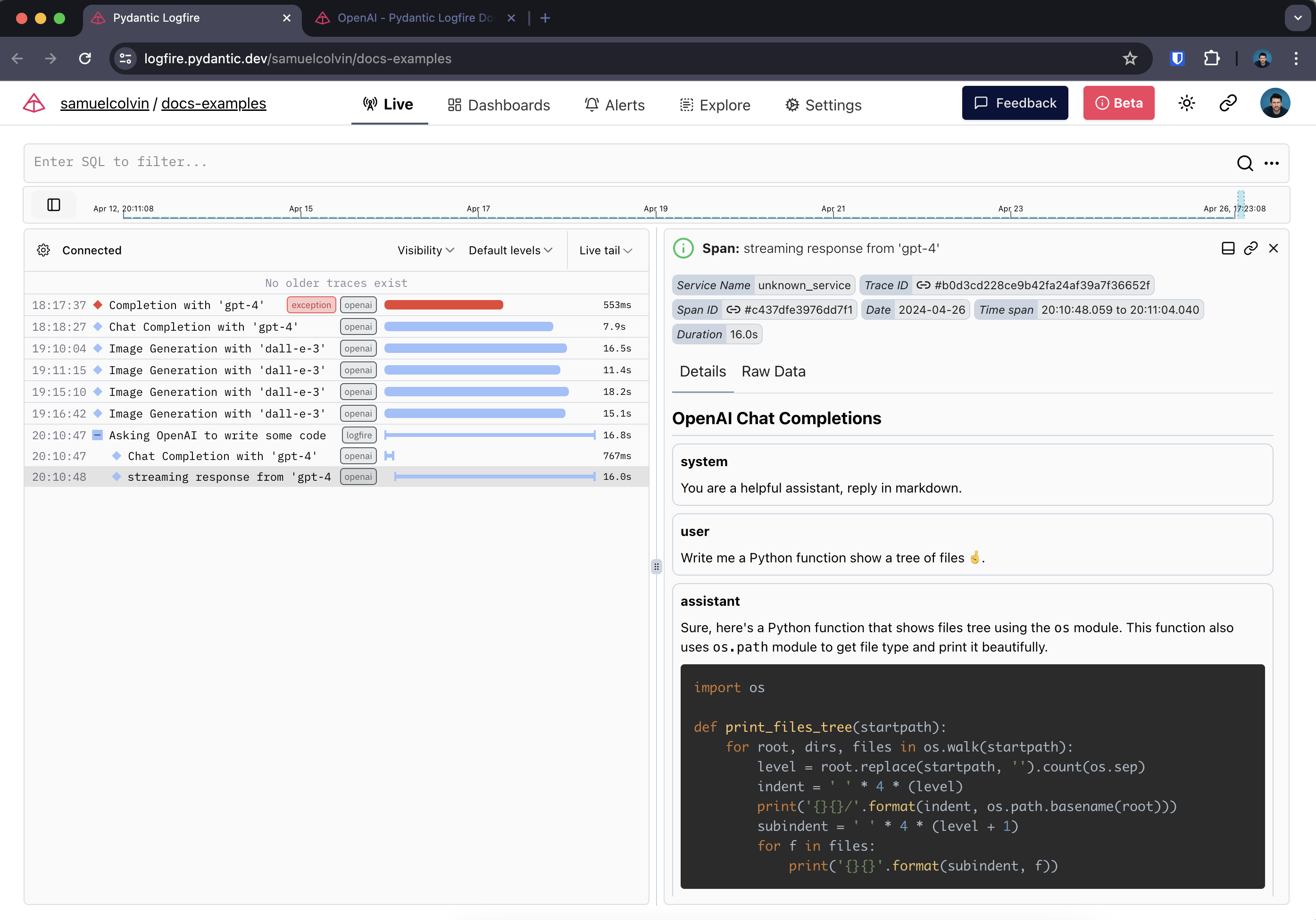
ストリーミングレスポンスを検出すると、Logfireは2つのスパンを作成します。
ここでは、リッチのLive とMarkdown タイプを使用して、端末内のレスポンスをリアルタイムでレンダリングします。:ダンサー:
import openai
import logfire
from rich.console import Console
from rich.live import Live
from rich.markdown import Markdown

client = openai.AsyncClient()
logfire.configure()
logfire.instrument_openai(client)

async def main():
    console = Console()
    with logfire.span('Asking OpenAI to write some code'):
        response = await client.chat.completions.create(
            model='gpt-4',
            messages=[
                {'role': 'system', 'content': 'Reply in markdown one.'},
                {'role': 'user', 'content': 'Write Python to show a tree of files 🤞.'},
            ],
            stream=True
        )
        content = ''
        with Live('', refresh_per_second=15, console=console) as live:
            async for chunk in response:
                if chunk.choices[0].delta.content is not None:
                    content += chunk.choices[0].delta.content
                    live.update(Markdown(content))

if __name__ == '__main__':
    import asyncio
    asyncio.run(main())
Logfireでは以下のようになります:
本文总阅读量次