ओपनएआई
परिचय
लॉगफायर को कॉल का पता लगाने के लिए कोड की एक अतिरिक्त पंक्ति के उपयोग का समर्थन करता है।
import openai
import logfire

client = openai.Client()

logfire.configure()
logfire.instrument_openai(client)  # (1)!

response = client.chat.completions.create(
    model='gpt-4',
    messages=[
        {'role': 'system', 'content': 'You are a helpful assistant.'},
        {'role': 'user', 'content': 'Please write me a limerick about Python logging.'},
    ],
)
print(response.choices[0].message)
-
यदि आप क्लाइंट साइड उदाहरण तक नहीं पहुंच सकते हैं, तो आप एक कक्षा पास कर सकते हैं (उदाहरण के लिए
logfire.instrument_openai(openai.Client)), या किसी भी पैरामीटर को पारित किए बिना (यानीlogfire.instrument_openai()) पता लगाने के लिएopenai。客户端औरopenai。AsyncClientकक्षा।
_
अधिक जानकारी के लिए, कृपया देखें [instrument_openai() एपीआई संदर्भ] [लॉगफायर। Logfire.instrument_openai]। _
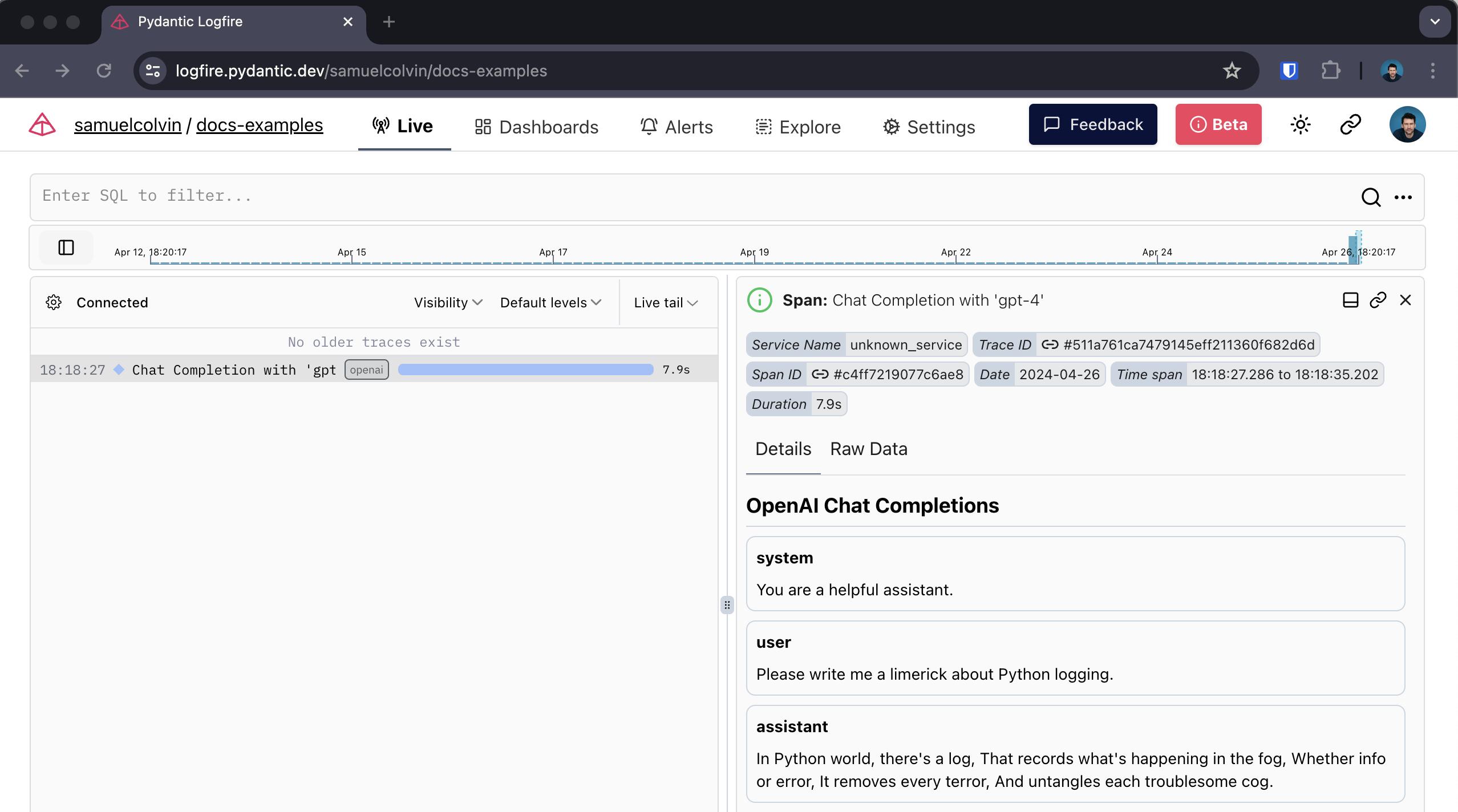
इसके साथ, आप प्राप्त कर सकते हैं:
-
को कॉल के आसपास की अवधि, जो अवधि को रिकॉर्ड करती है और किसी भी अपवाद को पकड़ती है जो हो सकता है
-
एजेंटों के साथ बातचीत का मानव-पठनीय प्रदर्शन
-
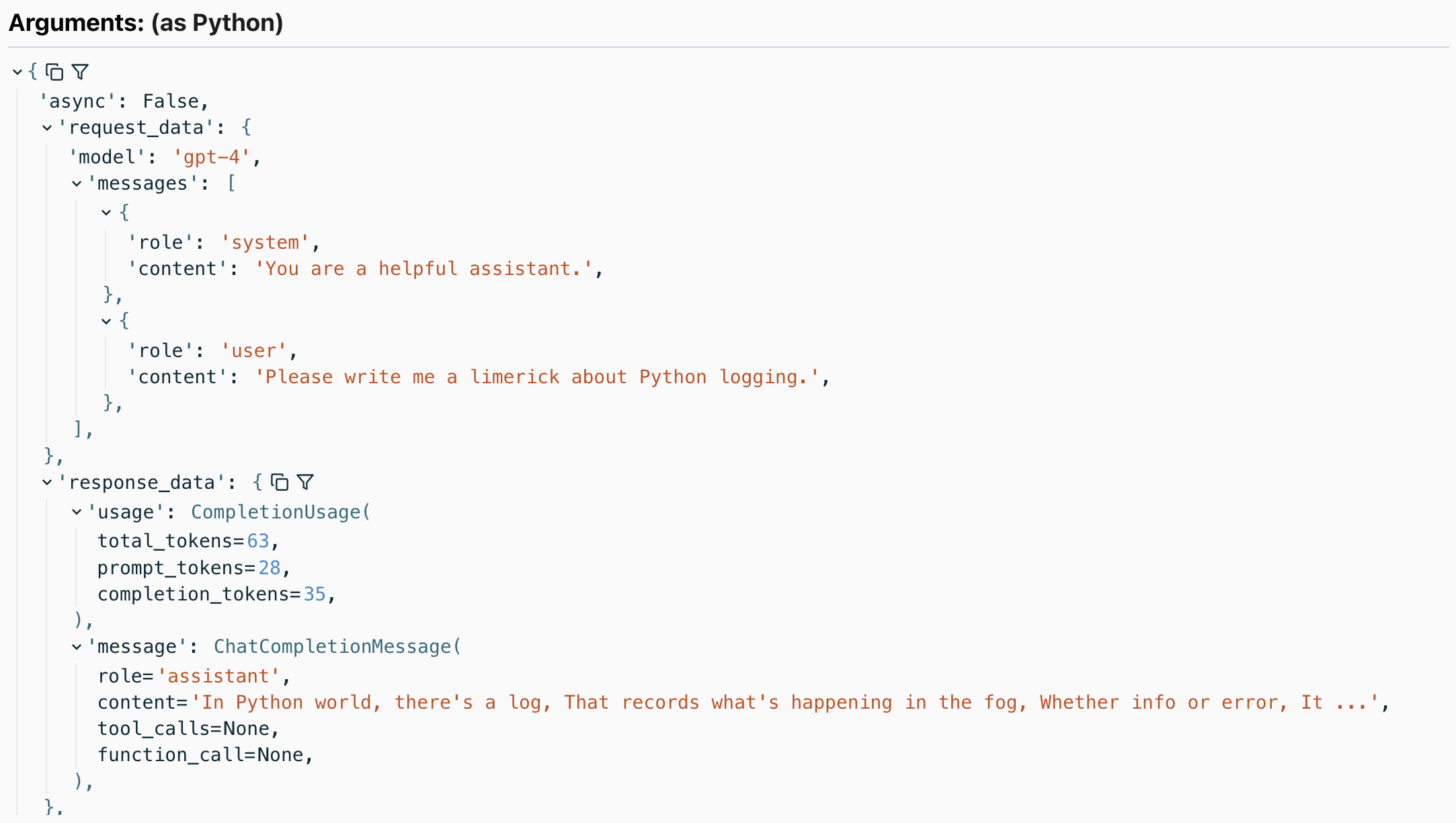
उपयोग किए गए टोकन की संख्या सहित प्रतिक्रिया का विवरण
कवर किए गए तरीके
निम्नलिखित विधियों को कवर किया गया है:
-
client.chat.completions.createहाँ और नहीं।stream=True -
client.completions.createहाँ और नहीं।stream=True client.embeddings.createclient.images.generate
सभी विधियां निहित हैं openai 中。客户端 और openai。AsyncClient...
उदाहरण के लिए, यहां छवि पीढ़ी कॉल का पता लगाना है:
import openai
import logfire

async def main():
    client = openai.AsyncClient()
    logfire.configure()
    logfire.instrument_openai(client)

    response = await client.images.generate(
        prompt='Image of R2D2 running through a desert in the style of cyberpunk.',
        model='dall-e-3',
    )
    url = response.data[0].url
    import webbrowser
    webbrowser.open(url)

if __name__ == '__main__':
    import asyncio
    asyncio.run(main())
दे:
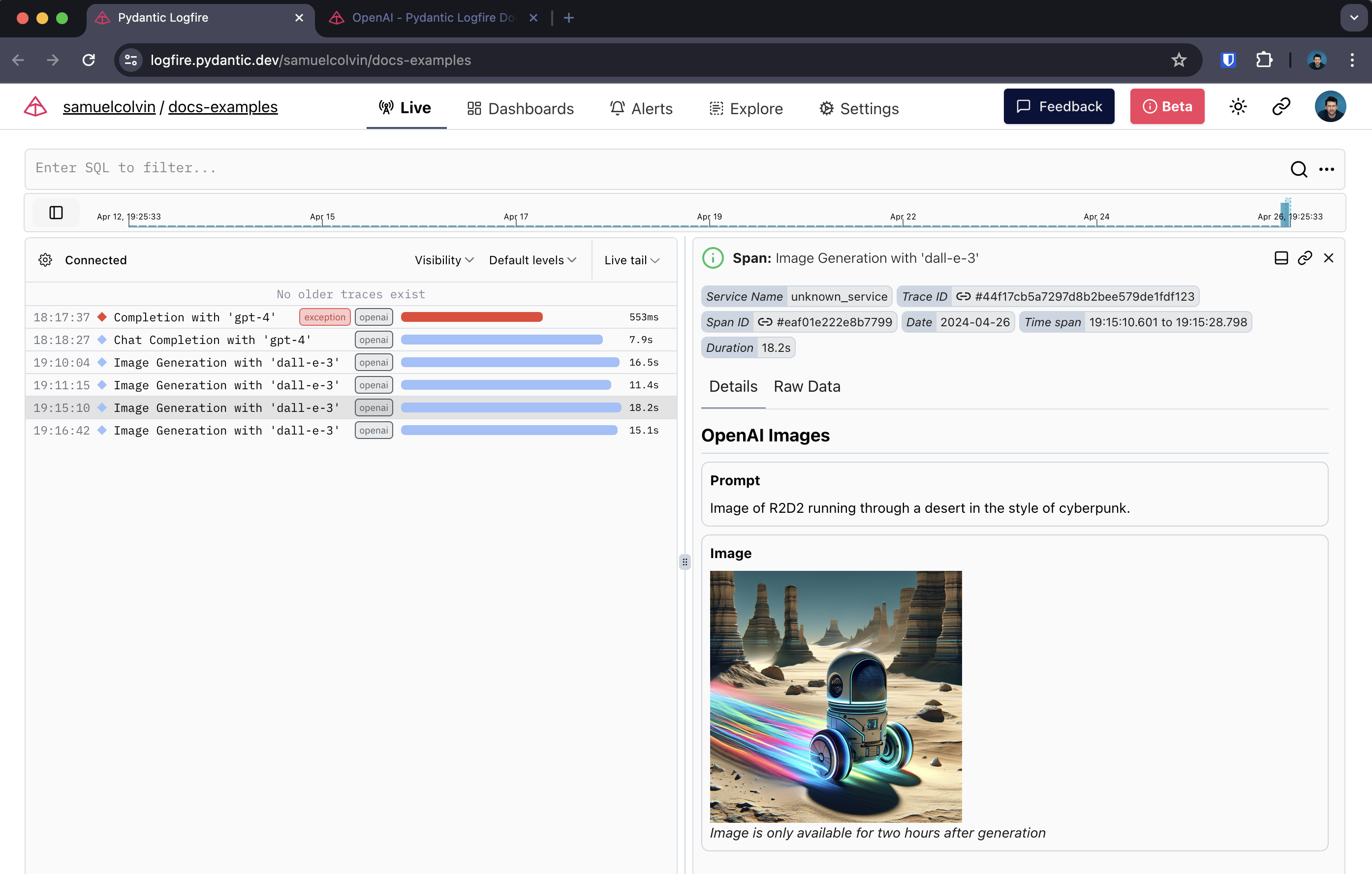
छवि पीढ़ी अवधि
स्ट्रीमिंग प्रतिक्रिया
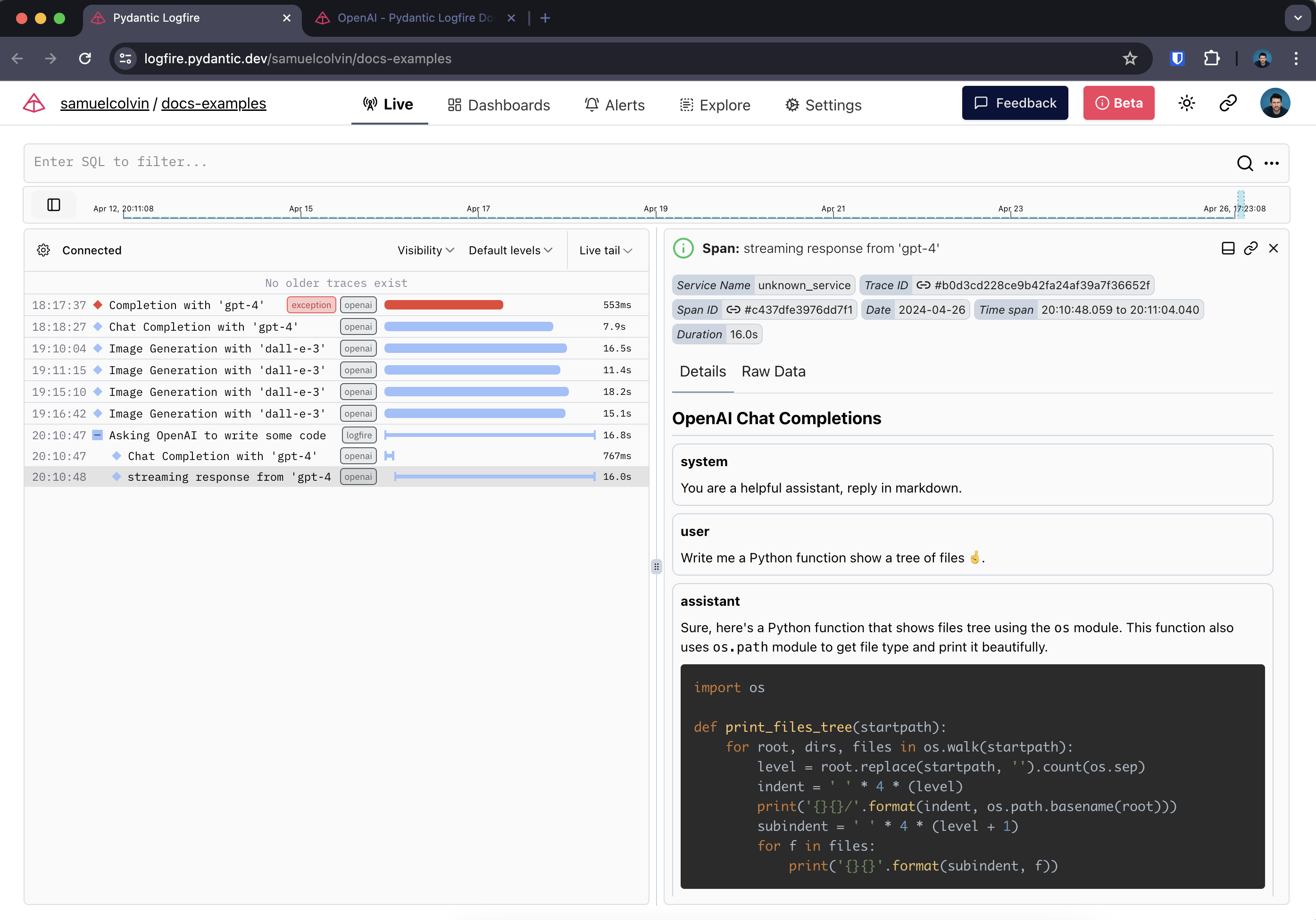
स्ट्रीमिंग प्रतिक्रिया का पता लगाते समय, लॉगफायर दो स्पैन बनाता है - एक प्रारंभिक अनुरोध के आसपास और एक स्ट्रीमिंग प्रतिक्रिया के आसपास।
यहां, हम रिच का भी उपयोग करते हैं Live और Markdown प्रकार अंतिम बिंदु में वास्तविक समय में प्रतिक्रिया प्रदान करता है।
import openai
import logfire
from rich.console import Console
from rich.live import Live
from rich.markdown import Markdown

client = openai.AsyncClient()
logfire.configure()
logfire.instrument_openai(client)

async def main():
    console = Console()
    with logfire.span('Asking OpenAI to write some code'):
        response = await client.chat.completions.create(
            model='gpt-4',
            messages=[
                {'role': 'system', 'content': 'Reply in markdown one.'},
                {'role': 'user', 'content': 'Write Python to show a tree of files 🤞.'},
            ],
            stream=True
        )
        content = ''
        with Live('', refresh_per_second=15, console=console) as live:
            async for chunk in response:
                if chunk.choices[0].delta.content is not None:
                    content += chunk.choices[0].delta.content
                    live.update(Markdown(content))

if __name__ == '__main__':
    import asyncio
    asyncio.run(main())
लॉगफायर में, यह इस तरह दिखता है:
本文总阅读量次