Integrate Logfire
In this section, we will focus on how to integrateLogfirewith your application.
OpenTelemetry Stakes
Leveraging the power of OpenTelemetry,Logfirenot only provides broad compatibility with any OpenTelemetry plug-in package, but also includes a user-friendly CLI command that effortlessly highlights any missing components in a project.
To check items, run the following command:
Logfire check
This will output the items you need to install to get the best OpenTelemetry detection:

To install the missing package, copy the command provided by the inspect command and run it in the terminal.
Each stake pack has its own configuration. View our integration page to learn how to configure them.
Logging integration (optional)
Warning
Note If you are creating a new application or are not using a logging system, you can skip this step.
You should use Logfire** itself to collect logs from your application.
Supports all standard recording methods, such as 'logfire.info()'。
There are many logging systems in the Python ecosystem,Logfireprovides integration for the most popular systems:standard library logging,Loguru and Structlog.
java standard library
To integrateLogfirewith the standard library log module, you can use the LogfireLoggingHandler class.
The minimum configuration is as follows:
from logging import basicConfig

import logfire

logfire.configure()
basicConfig(handlers=[logfire.LogfireLoggingHandler()])
Now imagine that you have a recorder in your application:
from logging import basicConfig, getLogger

import logfire

logfire.configure()
basicConfig(handlers=[logfire.LogfireLoggingHandler()])

logger = getLogger(__name__)
logger.error("Hello %s!", "Fred")
If we run the above code, using python main.py, we will see the following output:

If you go to this link, you will see the “Hello Fred!” log in the Web UI:
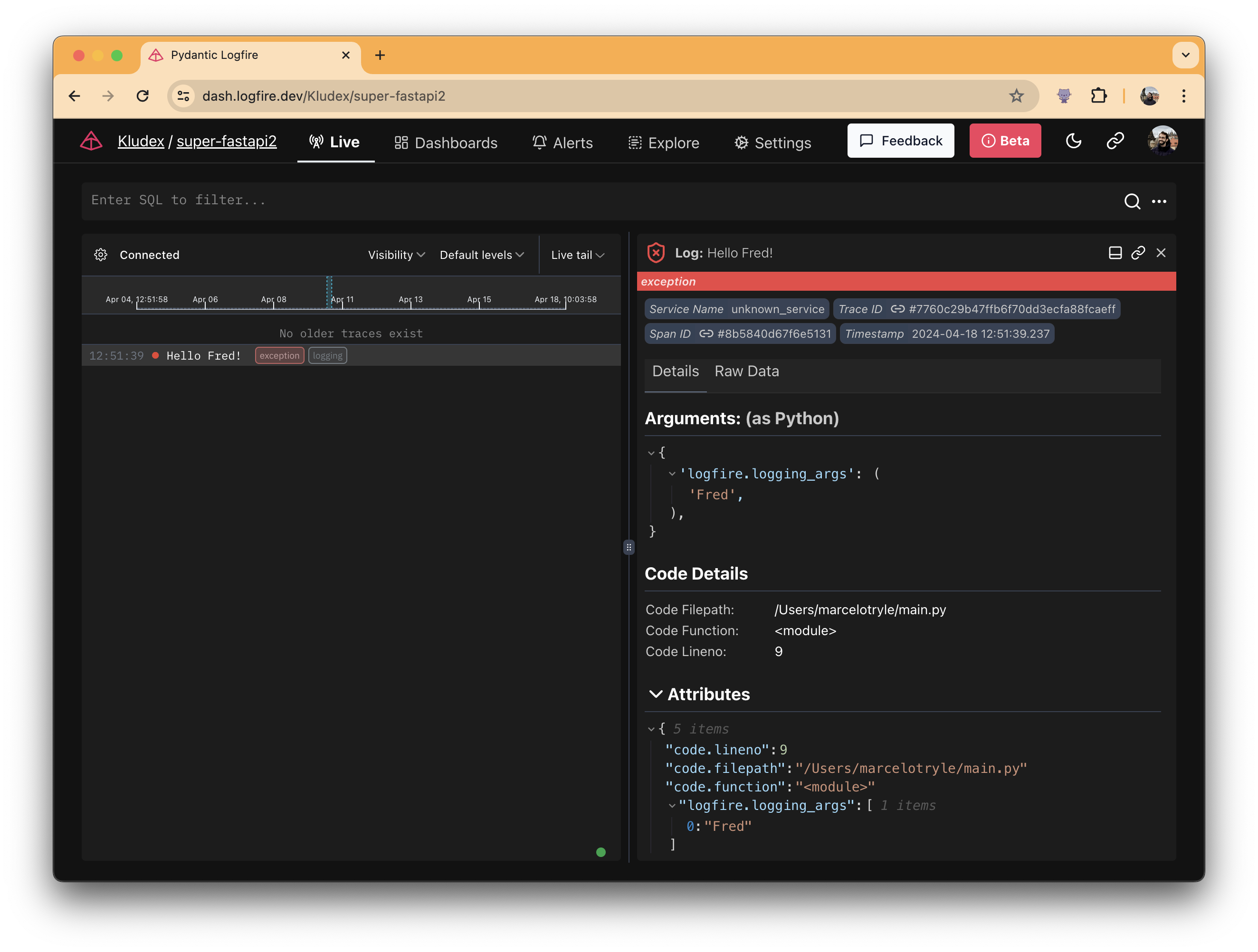
That's it! Cool, right?🤘
Loguru
To integrate with Loguru, check out the Loguru page.
structure log
本文总阅读量次