SQL Explorer
WithLogfire, you can use the Explore page to run arbitrary SQL queries against trace and metric data to analyze and investigate your system.
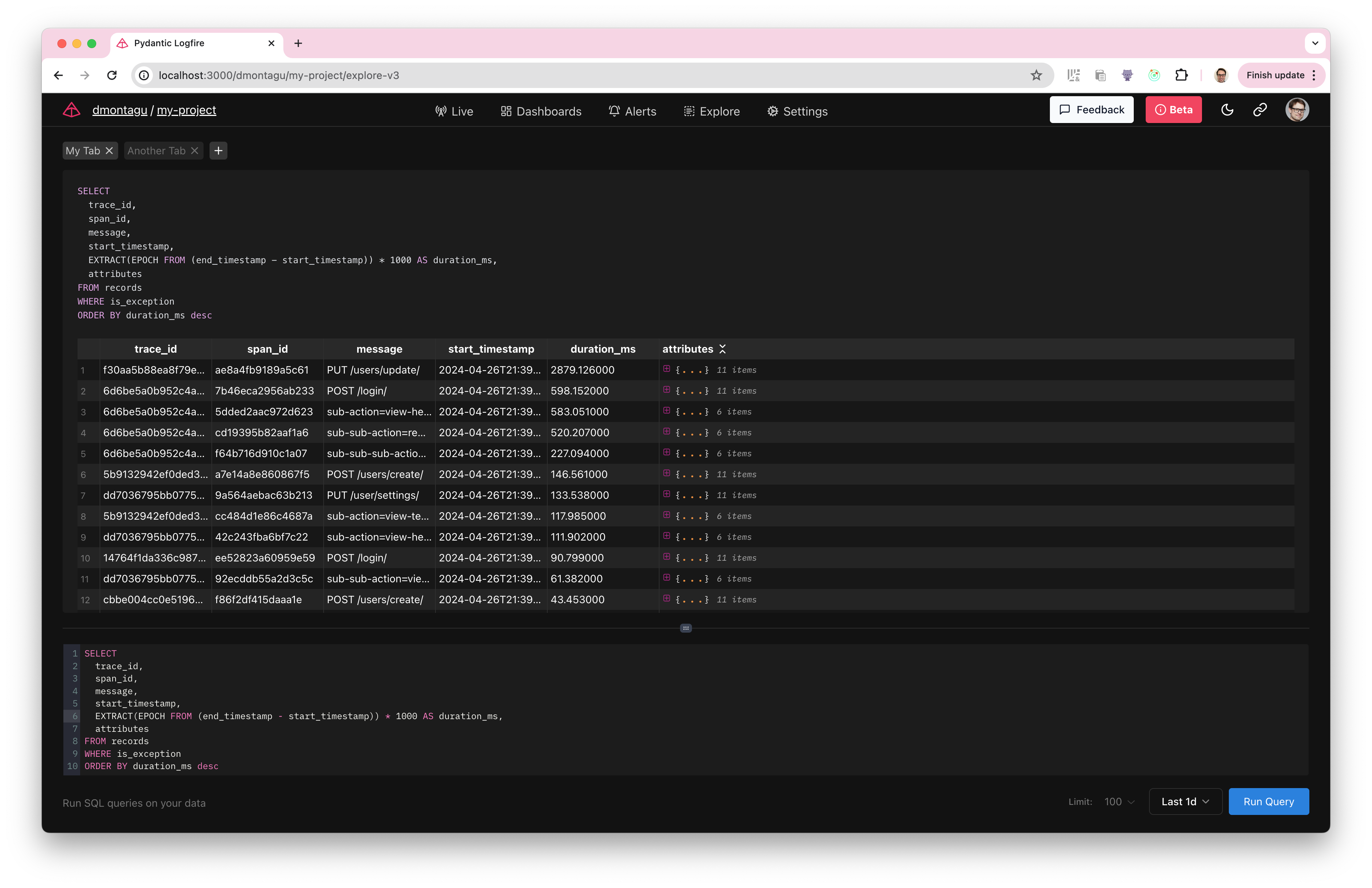
query tracking
The primary table you will query is the 记录 table, which contains all the spans/logs from the requests you trace.
To query records, simply use SELECT ...FROM 记录 and add the WHERE clause to filter the desired span.
For example, here is a query that returns messages with all spans of exception, start_timestamp, duration, and attributes:
SELECT
  message,
  start_timestamp,
  EXTRACT(EPOCH FROM (end_timestamp - start_timestamp)) * 1000 AS duration_ms,
  attributes
FROM records
WHERE is_exception
You can also run more complex queries using subqueries, CTEs, joins, aggregations, custom expressions, and any other standard SQL.
record architecture
记录 The structure of the table is:
CREATE TABLE records AS (
    start_timestamp timestamp with time zone,
    created_at timestamp with time zone,
    trace_id text,
    span_id text,
    parent_span_id text,
    kind span_kind,
    end_timestamp timestamp with time zone,
    level smallint,
    span_name text,
    message text,
    attributes_json_schema text,
    attributes jsonb,
    tags text[],
    otel_links jsonb,
    otel_events jsonb,
    is_exception boolean,
    otel_status_code status_code,
    otel_status_message text,
    otel_scope_name text,
    otel_scope_version text,
    otel_scope_attributes jsonb,
    service_namespace text,
    service_name text,
    service_version text,
    service_instance_id text,
    process_pid integer
)
Cross-linking with Live View
After running the query, you can take any trace_id and/or span_id and use it to find data that appears as tracked in live view.
Just go to Live View and enter the following query:
trace_id ='7 bda 3ddf 6 e6 d4 a0 c8386093209 eb 0 bfc'--Replace with your own real trace_id
This displays all spans with that particular tracking ID.
indicator framework
In addition to tracking, you can query metrics data using the 指标 table.
metrics The structure of the table is:
CREATE TABLE metrics AS (
    recorded_timestamp timestamp with time zone,
    metric_name text,
    metric_type text,
    unit text,
    start_timestamp timestamp with time zone,
    aggregation_temporality public.aggregation_temporality,
    is_monotonic boolean,
    metric_description text,
    scalar_value double precision,
    histogram_min double precision,
    histogram_max double precision,
    histogram_count integer,
    histogram_sum double precision,
    exp_histogram_scale integer,
    exp_histogram_zero_count integer,
    exp_histogram_zero_threshold double precision,
    exp_histogram_positive_bucket_counts integer[],
    exp_histogram_positive_bucket_counts_offset integer,
    exp_histogram_negative_bucket_counts integer[],
    exp_histogram_negative_bucket_counts_offset integer,
    histogram_bucket_counts integer[],
    histogram_explicit_bounds double precision[],
    attributes jsonb,
    tags text[],
    otel_scope_name text,
    otel_scope_version text,
    otel_scope_attributes jsonb,
    service_namespace text,
    service_name text,
    service_version text,
    service_instance_id text,
    process_pid integer
)
You can query metrics using standard SQL, just like tracing. For example:
SELECT *
FROM metrics
WHERE metric_name = 'system.cpu.time'
  AND recorded_timestamp > now() - interval '1 hour'
execution query
To execute a query, type or paste it into the Query Editor and click the Run Query button.
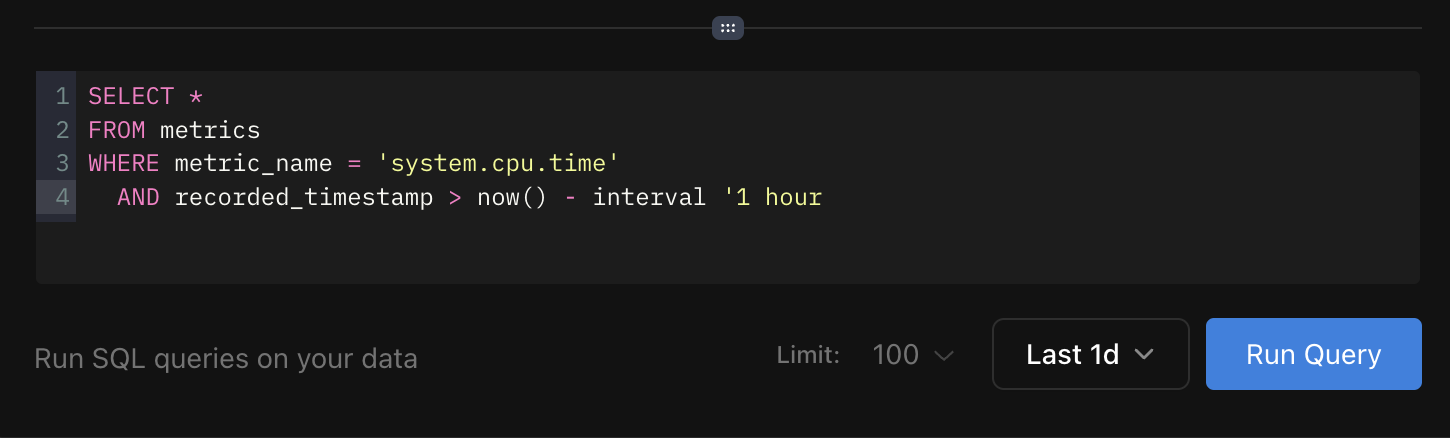
You can use the drop-down list next to the button to modify the time range of the query. There is also a Limit drop-down list to control the maximum number of result rows returned.
The Browse page provides a flexible interface for tracking and metrics using standard SQL queries.
Wish you inquiry happy!
本文总阅读量次