SQL エクスプローラー
Logfireを使用すると、探索ページを使用してトレースデータとメトリクスデータに対して任意のSQLクエリを実行し、システムを分析および調査できます。
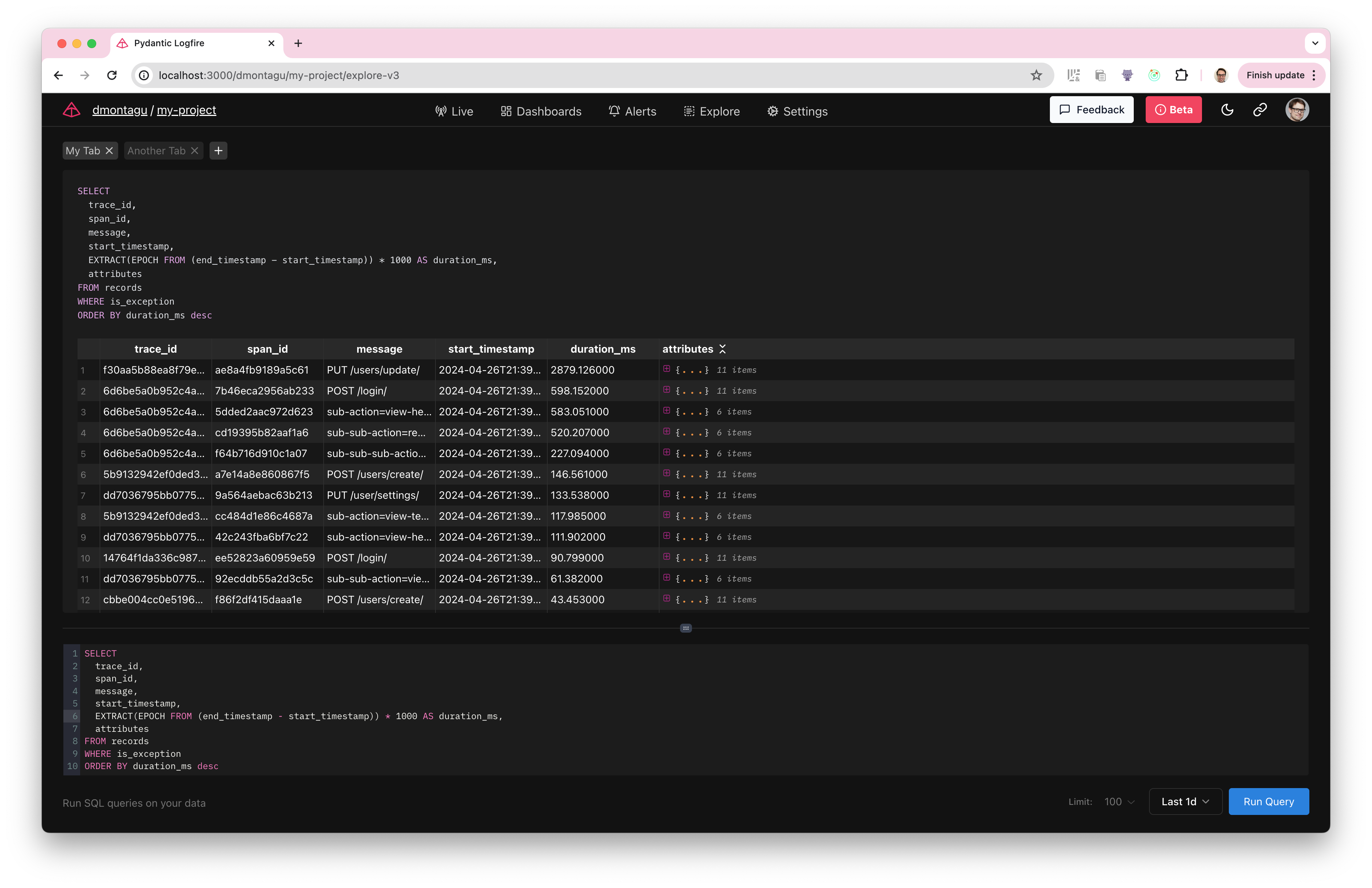
クエリの追跡
クエリを実行する主なテーブルは 记录 テーブルで、追跡したリクエストからのすべてのスパン/ログが含まれています。
レコードをクエリするには、SELECT ...FROM 记录 を使用して WHERE 句を追加し、必要なスパンをフィルタリングします。
たとえば、次のクエリは、例外を含むすべてのスパンのメッセージ、start_timestamp、期間、およびプロパティを返します。
SELECT
  message,
  start_timestamp,
  EXTRACT(EPOCH FROM (end_timestamp - start_timestamp)) * 1000 AS duration_ms,
  attributes
FROM records
WHERE is_exception
サブクエリ、CTE、結合、集計、カスタム式、およびその他の標準SQLを使用して、より複雑なクエリを実行することもできます。
レコードアーキテクチャ
记录 テーブルのアーキテクチャは次のとおりです。
CREATE TABLE records AS (
    start_timestamp timestamp with time zone,
    created_at timestamp with time zone,
    trace_id text,
    span_id text,
    parent_span_id text,
    kind span_kind,
    end_timestamp timestamp with time zone,
    level smallint,
    span_name text,
    message text,
    attributes_json_schema text,
    attributes jsonb,
    tags text[],
    otel_links jsonb,
    otel_events jsonb,
    is_exception boolean,
    otel_status_code status_code,
    otel_status_message text,
    otel_scope_name text,
    otel_scope_version text,
    otel_scope_attributes jsonb,
    service_namespace text,
    service_name text,
    service_version text,
    service_instance_id text,
    process_pid integer
)
ライブビューとのクロスリンク
クエリを実行すると、任意の trace_id および/または span_id を取得し、それを使用して、ライブビューでトレースとして表示されるデータを検索できます。
ライブビューに移動し、次のクエリを入力するだけです。
Trace_id='7bda3ddf6e6d4a0c8386093209eb0bfc'--自分の実際のTrace_idに置き換えます
これにより、その特定のトレースIDを持つすべてのスパンが表示されます。
指標アーキテクチャ
トレースに加えて、指标 テーブルを使用してメトリックデータをクエリできます。
metrics テーブルのアーキテクチャは次のとおりです。
CREATE TABLE metrics AS (
    recorded_timestamp timestamp with time zone,
    metric_name text,
    metric_type text,
    unit text,
    start_timestamp timestamp with time zone,
    aggregation_temporality public.aggregation_temporality,
    is_monotonic boolean,
    metric_description text,
    scalar_value double precision,
    histogram_min double precision,
    histogram_max double precision,
    histogram_count integer,
    histogram_sum double precision,
    exp_histogram_scale integer,
    exp_histogram_zero_count integer,
    exp_histogram_zero_threshold double precision,
    exp_histogram_positive_bucket_counts integer[],
    exp_histogram_positive_bucket_counts_offset integer,
    exp_histogram_negative_bucket_counts integer[],
    exp_histogram_negative_bucket_counts_offset integer,
    histogram_bucket_counts integer[],
    histogram_explicit_bounds double precision[],
    attributes jsonb,
    tags text[],
    otel_scope_name text,
    otel_scope_version text,
    otel_scope_attributes jsonb,
    service_namespace text,
    service_name text,
    service_version text,
    service_instance_id text,
    process_pid integer
)
トレーシングと同様に、標準SQLを使用してメトリックをクエリできます。例:
SELECT *
FROM metrics
WHERE metric_name = 'system.cpu.time'
  AND recorded_timestamp > now() - interval '1 hour'
クエリの実行
クエリを実行するには、クエリエディターに入力または貼り付けて、[クエリの実行]ボタンをクリックします。
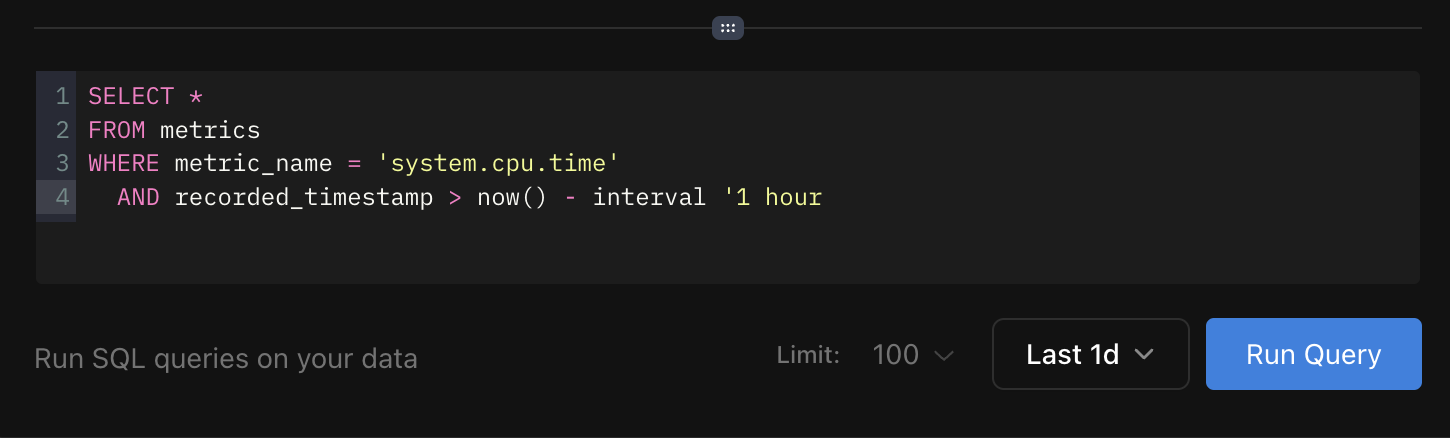
ボタンの横にあるドロップダウンリストを使用して、クエリの時間範囲を変更できます。また、返される結果の最大行数を制御する「制限」ドロップダウンリストもあります。
ブラウズページでは、標準のSQLクエリを使用してトレースとメトリクスをクエリするための柔軟なインターフェイスを提供します。
お問い合わせをお楽しみください!
本文总阅读量次