직접 데이터베이스 연결
Logfire플랫폼을 사용하면 PostgreSQL 구문을 사용하여 데이터를 연결하고 SQL 쿼리를 실행할 수 있습니다.
이렇게 하면 Grafana, Metabase, Superset과 같은 기존 도구 또는 Postgre 쿼리를 지원하는 다른 도구를 연결할 수 있습니다.SQL. 소스.
자격 증명 세대
연결하려면 먼저 프로젝트 페이지에서 데이터베이스 자격 증명을 생성해야 합니다. https://logfire.pydantic.dev/<organization>/<project>/settings/database-credentials
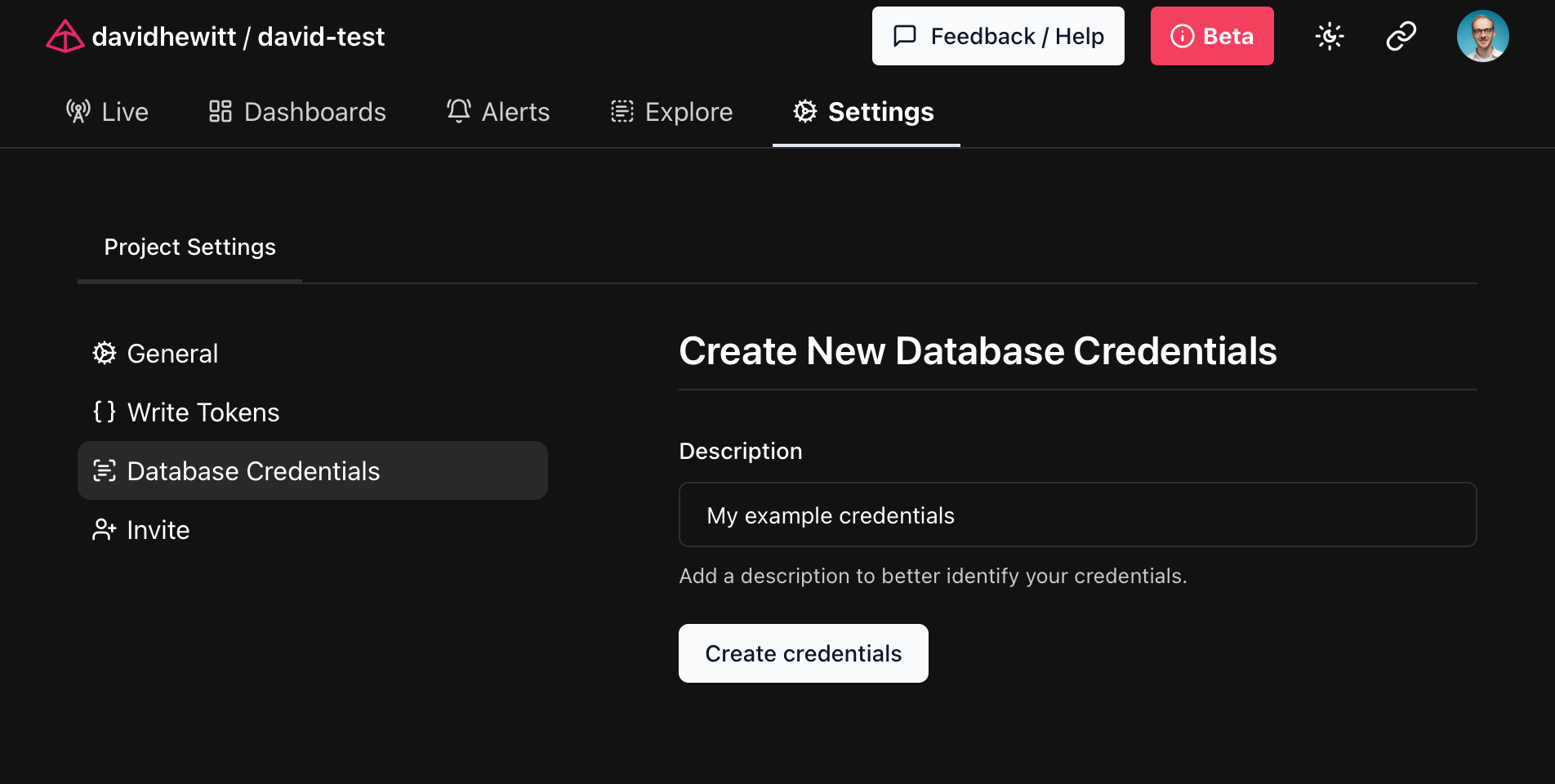
생성된 자격 증명은 호환되는 도구의 연결 문자열로 사용할 수 있는 Postgre입니다. Logfire 플랫폼에서 한 번만 표시되므로 나중에 사용할 수 있도록 안전한 위치에 저장하십시오!
데이터베이스에 연결
앞에서 언급한 것처럼 생성된 자격 증명을 사용하여 PostgreSQL 연결을 지원하는 모든 도구를 통해 데이터베이스에 연결할 수 있습니다.
사용 pgcli
pgcli PostgreSQL 데이터베이스에 액세스하기 위한 명령줄 도구입니다.
이전 단계에서 생성된 자격 증명을 다음과 같이 사용합니다. pgcli 매개 변수, 직접 연결할 수 있습니다. 로그파이어그것은 무엇입니까?
$ pgcli postgresql://<user>:<password>@db.logfire.dev:5432/proj_david-test  # REDACTED
Version: 4.0.1
Home: http://pgcli.com
proj_david-test> select start_timestamp, message from records limit 10;
+-------------------------------+----------------------------------------+
| start_timestamp               | message                                |
|-------------------------------+----------------------------------------|
| 2024-04-28 10:50:41.681886+00 | action=view-faq size=549 i=0           |
| 2024-04-28 10:50:41.711747+00 | GET /contact/ http send response.body  |
| 2024-04-28 10:50:41.665576+00 | GET /contact/                          |
| 2024-04-28 10:50:41.711119+00 | GET /contact/ http send response.start |
| 2024-04-28 10:50:41.709458+00 | response 500                           |
| 2024-04-28 10:50:38.505343+00 | action=view-cart size=517 i=0          |
| 2024-04-28 10:50:39.446668+00 | action=view-faq size=637 i=2           |
| 2024-04-28 10:50:38.681198+00 | action=view-terms size=216 i=3         |
| 2024-04-28 10:50:39.416706+00 | action=view-product size=380 i=0       |
| 2024-04-28 10:50:38.394237+00 | sub-sub-sub-action=logout              |
+-------------------------------+----------------------------------------+
SELECT 10
Time: 0.218s
사용 psycopg
psycopg PostgreSQL 데이터베이스에 연결할 수 있는 파이썬 라이브러리입니다.
이전 단계에서 생성된 자격 증명을 사용하여Logfire에 연결할 수 있습니다.
import os

import psycopg

POSTGRES_URI = os.getenv('POSTGRES_URI')

with psycopg.connect(POSTGRES_URI) as conn:
    cursor = conn.cursor()
    cursor.execute('SELECT start_timestamp, message FROM records LIMIT 10')
    for start_timestamp, message in cursor.fetchall():
        print(f'{start_timestamp}: {message}')
export POSTGRES_URI=... 환경 변수를 이전 단계에서 생성된 URI로 설정하고 python main.py 를 사용하여 스크립트를 실행합니다.
2024-04-28 10:50:41.681886+00: action=view-faq size=549 i=0
2024-04-28 10:50:41.711747+00: GET /contact/ http send response.body
2024-04-28 10:50:41.665576+00: GET /contact/
2024-04-28 10:50:41.711119+00: GET /contact/ http send response.start
2024-04-28 10:50:41.709458+00: response 500
2024-04-28 10:50:38.505343+00: action=view-cart size=517 i=0
2024-04-28 10:50:39.446668+00: action=view-faq size=637 i=2
2024-04-28 10:50:38.681198+00: action=view-terms size=216 i=3
2024-04-28 10:50:39.416706+00: action=view-product size=380 i=0
2024-04-28 10:50:38.394237+00: sub-sub-sub-action=logout
PostgreSQL에 대한 유연한 액세스로Logfire를 사용하는 방법을 듣고 싶습니다!
本文总阅读量次