直接データベース接続
Logfireプラットフォームを使用すると、PostgreSQL構文を使用してデータを結合し、SQLクエリを実行できます。
これにより、Grafana、Metabase、Super set、またはPostgreSQLソースのクエリをサポートするその他のツールなど、既存のツールを接続できます。
資格情報の生成
接続するには、まずプロジェクトページからデータベース認証情報を生成する必要があります。 https://logfire.pydantic.dev/<organization>/<project>/settings/database-credentials
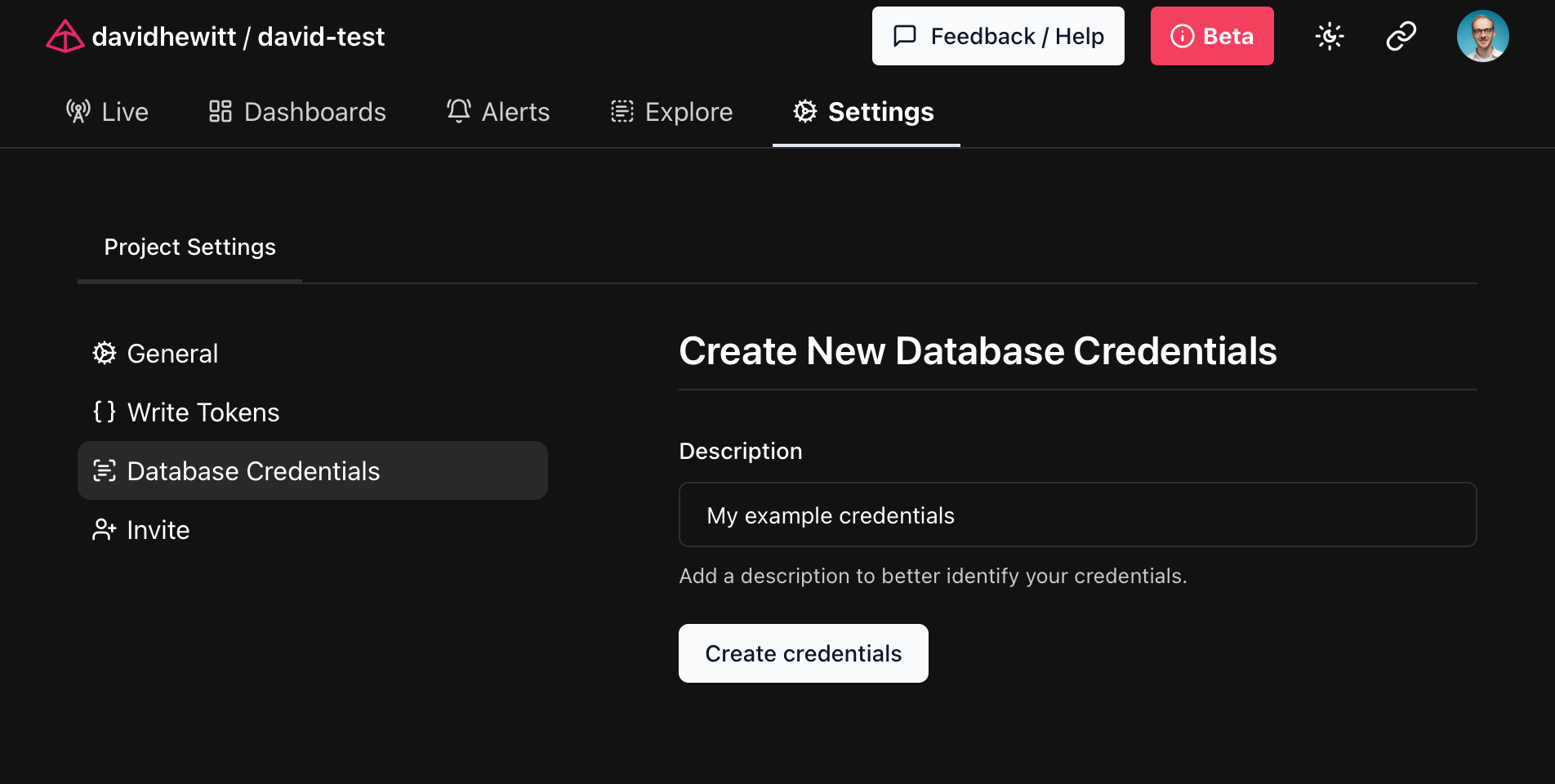
生成される認証情報はPostgreSQL URIで、互換ツールの接続文字列として使用できます。これらはLogfireプラットフォームでは一度だけ表示されますので、今後使用するために安全な場所に保存してください!
データベースへの接続
前述のように、生成された資格情報を使用して、PostgreSQL接続をサポートする任意のツールを介してデータベースに接続できます。
ご利用になる pgcli
pgcli PostgreSQLデータベースにアクセスするためのコマンドラインツールです。
前のステップで生成された資格情報を pgcli の引数として使用すると、Logfireに直接接続できます。
$ pgcli postgresql://<user>:<password>@db.logfire.dev:5432/proj_david-test  # REDACTED
Version: 4.0.1
Home: http://pgcli.com
proj_david-test> select start_timestamp, message from records limit 10;
+-------------------------------+----------------------------------------+
| start_timestamp               | message                                |
|-------------------------------+----------------------------------------|
| 2024-04-28 10:50:41.681886+00 | action=view-faq size=549 i=0           |
| 2024-04-28 10:50:41.711747+00 | GET /contact/ http send response.body  |
| 2024-04-28 10:50:41.665576+00 | GET /contact/                          |
| 2024-04-28 10:50:41.711119+00 | GET /contact/ http send response.start |
| 2024-04-28 10:50:41.709458+00 | response 500                           |
| 2024-04-28 10:50:38.505343+00 | action=view-cart size=517 i=0          |
| 2024-04-28 10:50:39.446668+00 | action=view-faq size=637 i=2           |
| 2024-04-28 10:50:38.681198+00 | action=view-terms size=216 i=3         |
| 2024-04-28 10:50:39.416706+00 | action=view-product size=380 i=0       |
| 2024-04-28 10:50:38.394237+00 | sub-sub-sub-action=logout              |
+-------------------------------+----------------------------------------+
SELECT 10
Time: 0.218s
ご利用になる psycopg
psycopg は、PostgreSQLデータベースに接続できるPythonライブラリです。
前のステップで生成された資格情報を使用して、Logfireに接続できます。
import os

import psycopg

POSTGRES_URI = os.getenv('POSTGRES_URI')

with psycopg.connect(POSTGRES_URI) as conn:
    cursor = conn.cursor()
    cursor.execute('SELECT start_timestamp, message FROM records LIMIT 10')
    for start_timestamp, message in cursor.fetchall():
        print(f'{start_timestamp}: {message}')
export POSTGRES_URI=... 環境変数を前のステップで生成したURIに設定し、python main.py を使用してスクリプトを実行します。
2024-04-28 10:50:41.681886+00: action=view-faq size=549 i=0
2024-04-28 10:50:41.711747+00: GET /contact/ http send response.body
2024-04-28 10:50:41.665576+00: GET /contact/
2024-04-28 10:50:41.711119+00: GET /contact/ http send response.start
2024-04-28 10:50:41.709458+00: response 500
2024-04-28 10:50:38.505343+00: action=view-cart size=517 i=0
2024-04-28 10:50:39.446668+00: action=view-faq size=637 i=2
2024-04-28 10:50:38.681198+00: action=view-terms size=216 i=3
2024-04-28 10:50:39.416706+00: action=view-product size=380 i=0
2024-04-28 10:50:38.394237+00: sub-sub-sub-action=logout
PostgreSQLに柔軟にアクセスできる機能により、PostgreSQLの使い方を聞くのが待ちきれませんログファイア!:火災:
本文总阅读量次