인류학
소개
Logfire는 Anthropic에 대한 호출을 감지하기 위해 추가 코드 라인을 사용할 수 있도록 지원합니다.
import anthropic
import logfire

client = anthropic.Anthropic()

logfire.configure()
logfire.instrument_anthropic(client)  # (1)!

response = client.messages.create(
    max_tokens=1000,
    model='claude-3-haiku-20240307',
    system='You are a helpful assistant.',
    messages=[{'role': 'user', 'content': 'Please write me a limerick about Python logging.'}],
)
print(response.content[0].text)
-
클라이언트 측 인스턴스에 액세스할 수 없는 경우 클래스(예:
logfire.instrument_anthropic(anthropic.Anthropic))를 통과하거나 인수를 전혀 전달하지 않고(즉,logfire.instrument_anthropic())两者。人类学및人类学。AsyncAnthropic클래스를 탐지할 수 있습니다.
_
자세한 내용은 [instrument_anthropic() API 참조][logfire]를 참조하십시오. Logfire
이를 통해 다음을 얻을 수 있습니다.
-
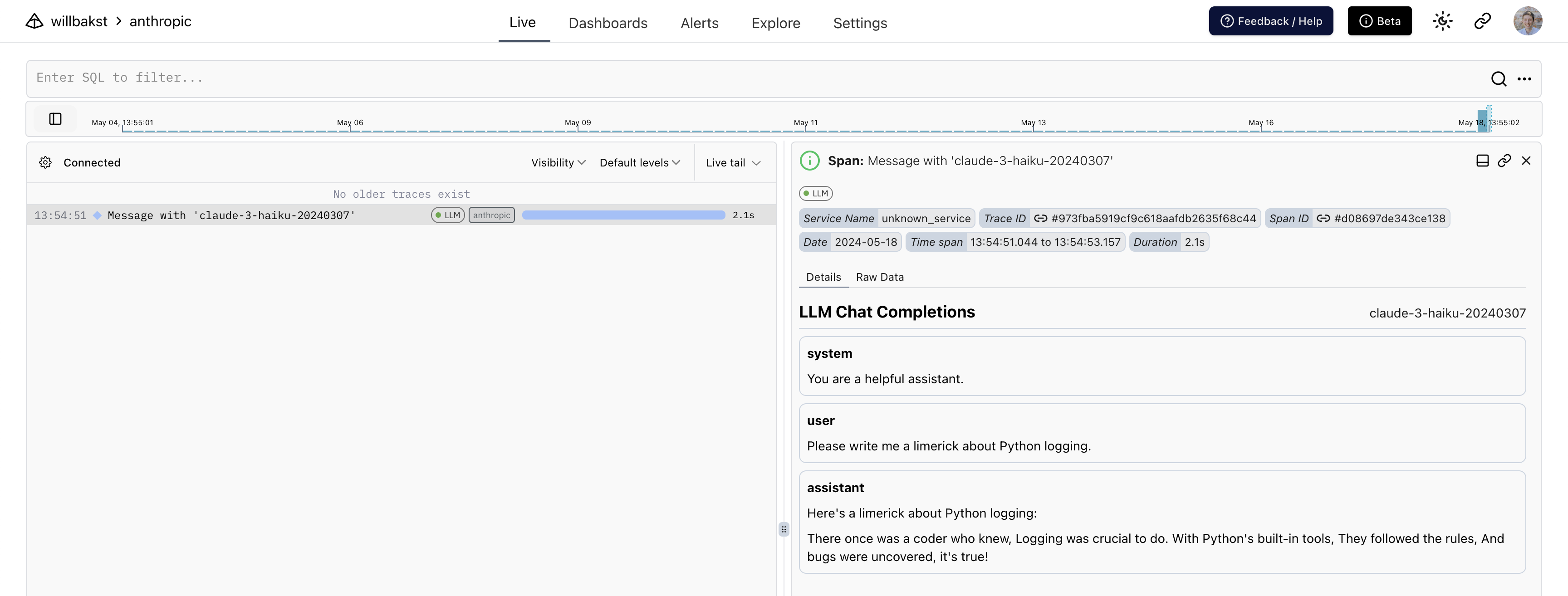
기간을 기록하고 발생할 수 있는 예외를 포착하는 Anthropic 호출을 둘러싼 범위
-
사람이 읽을 수 있는 에이전트와의 대화 표시
-
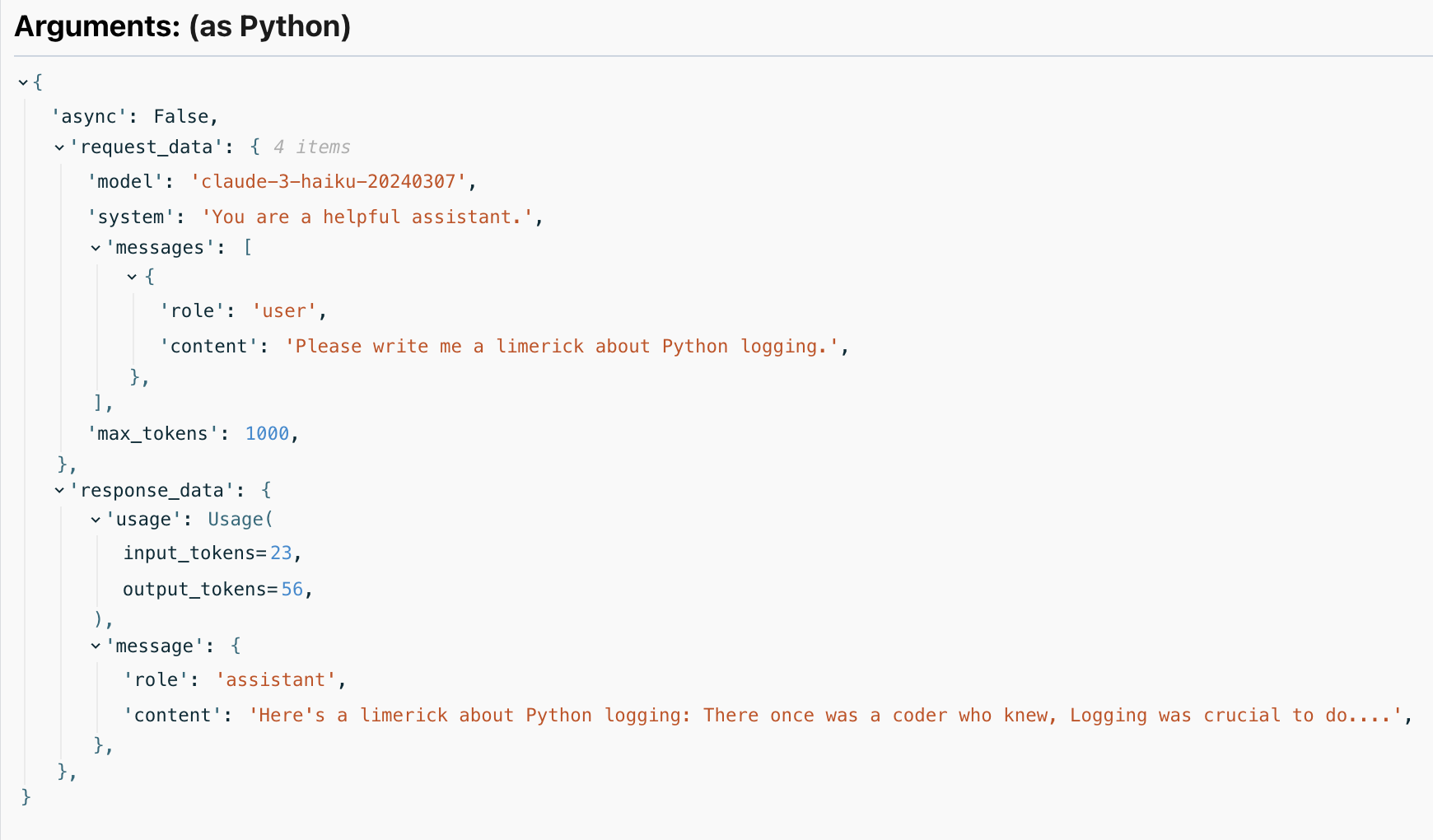
사용된 토큰 수를 포함하여 응답에 대한 세부 정보입니다.
적용되는 방법
다음과 같은 인류학적 방법을 다룹니다.
client.messages.createclient.messages.stream(客户端.messages.stream)client.beta.tools.messages.create
모든 방법은 人为的方法。人类学 및 人类学。异步人。 를 포함합니다.
스트리밍 응답
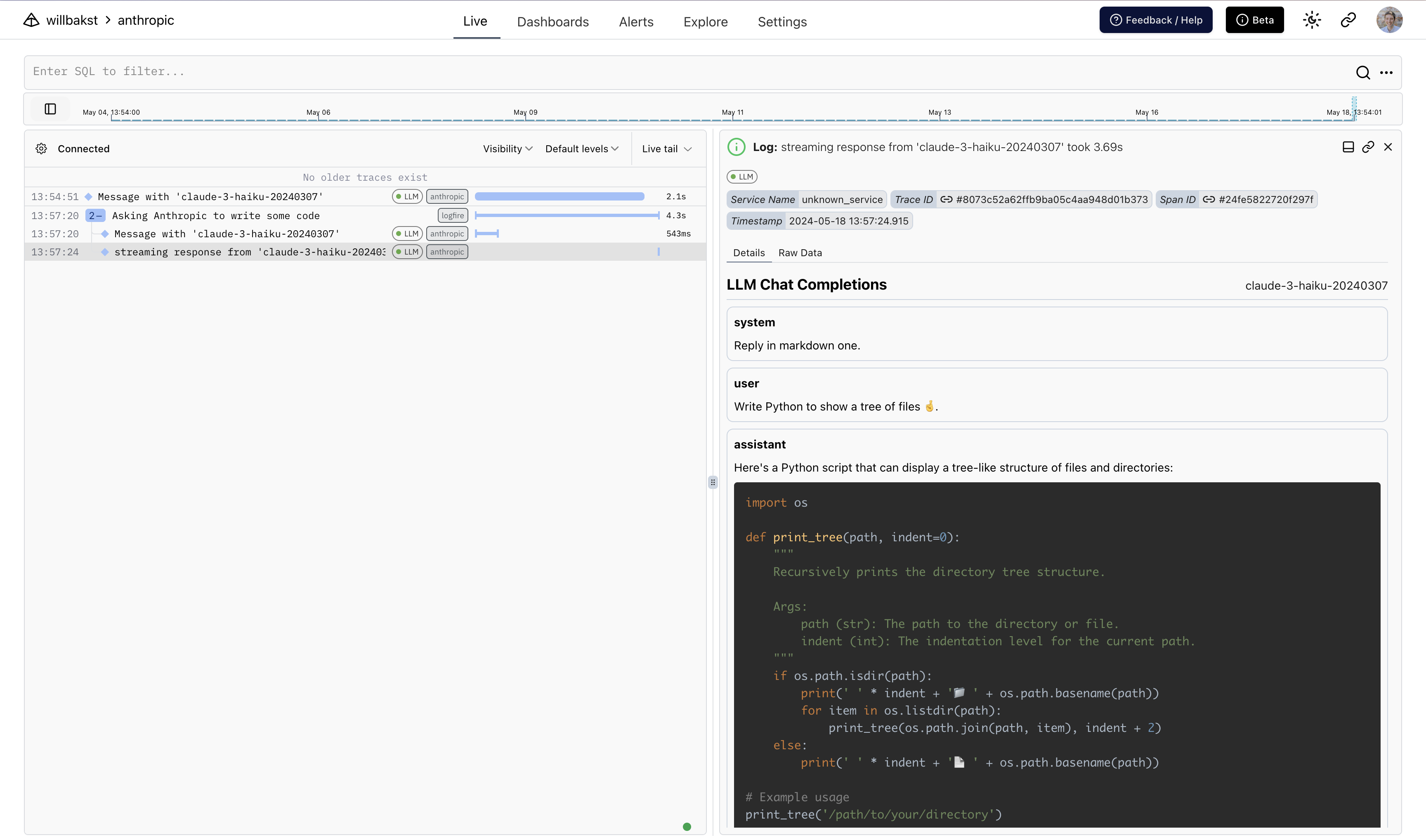
스트리밍 응답을 감지하면 Logfire는 두 개의 스팬을 생성합니다. 하나는 초기 요청 주위에, 다른 하나는 스트리밍 응답 주위에 있습니다.
여기서는 또한 Rich의Live 및Markdown 유형을 사용하여 최종 지점에서 실시간으로 응답을 렌더링합니다.
import anthropic
import logfire
from rich.console import Console
from rich.live import Live
from rich.markdown import Markdown

client = anthropic.AsyncAnthropic()
logfire.configure()
logfire.instrument_anthropic(client)


async def main():
    console = Console()
    with logfire.span('Asking Anthropic to write some code'):
        response = client.messages.stream(
            max_tokens=1000,
            model='claude-3-haiku-20240307',
            system='Reply in markdown one.',
            messages=[{'role': 'user', 'content': 'Write Python to show a tree of files 🤞.'}],
        )
        content = ''
        with Live('', refresh_per_second=15, console=console) as live:
            async with response as stream:
                async for chunk in stream:
                    if chunk.type == 'content_block_delta':
                        content += chunk.delta.text
                        live.update(Markdown(content))


if __name__ == '__main__':
    import asyncio

    asyncio.run(main())
Logfire에서는 다음과 같습니다.
本文总阅读量次